Add Company Knowledge Using Loom Links in NexaEra
Got a Loom video packed with company know-how? By the end of this quick walkthrough, you’ll have turned it into training your AI agents can actually use — just by pasting one link. Here’s the beauty of it: NexaEra pulls the transcript out of your Loom automatically, so everything you explained on camera becomes searchable knowledge for your agents. No retyping, no uploading files.
Written By Fred Yalmeh
Last updated About 2 months ago
Go to www.nexaera.com
1. Introduction
First, log in to NexaEra over at nexaera.com. You’ll land on your main dashboard — home base for everything you build. In just a minute, we’ll turn a Loom video into knowledge your agents can pull from. Let’s jump in.
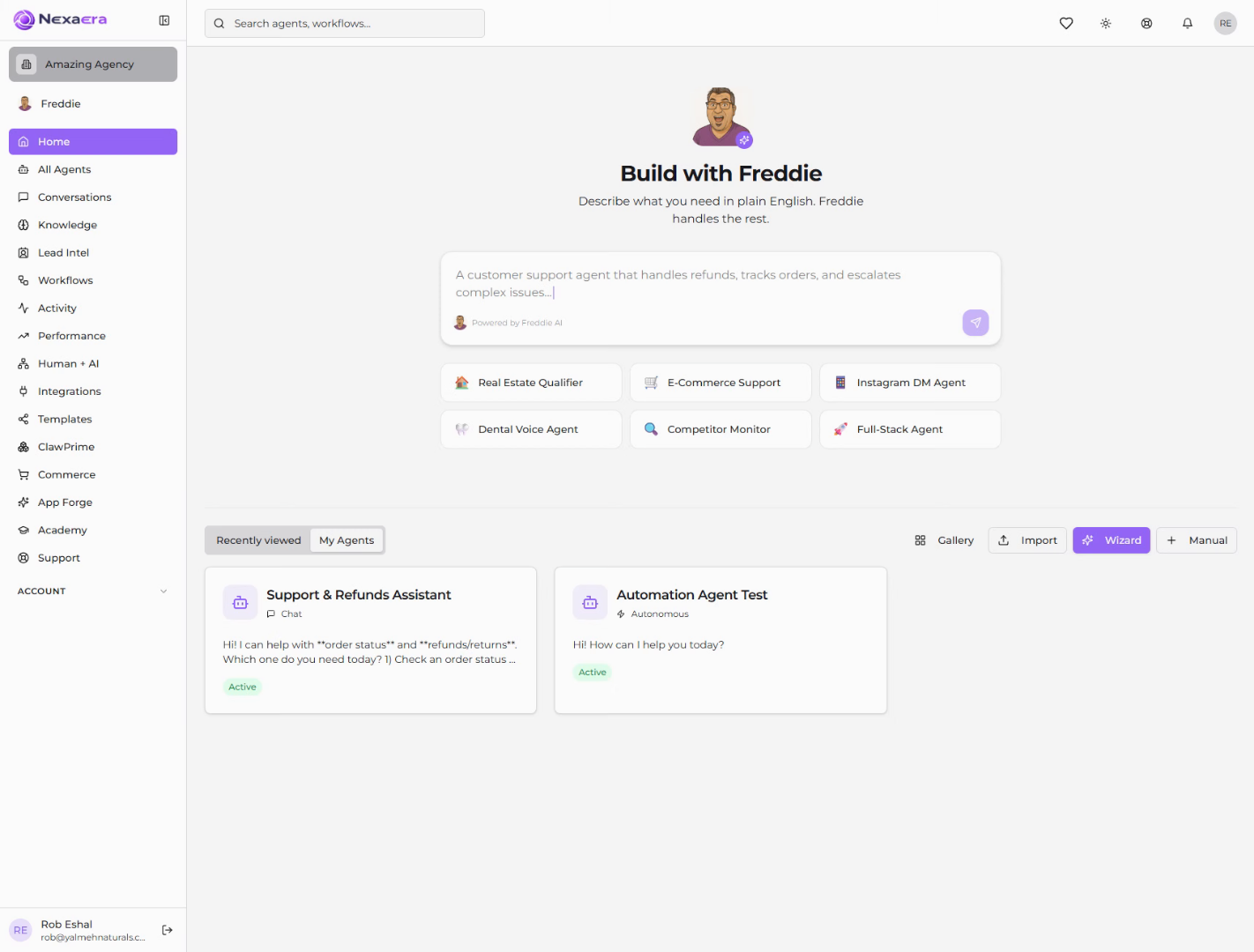
2. Access Knowledge Section
Look over at the left sidebar and click “Knowledge.” This is your training hub — where every agent you build gets its information.
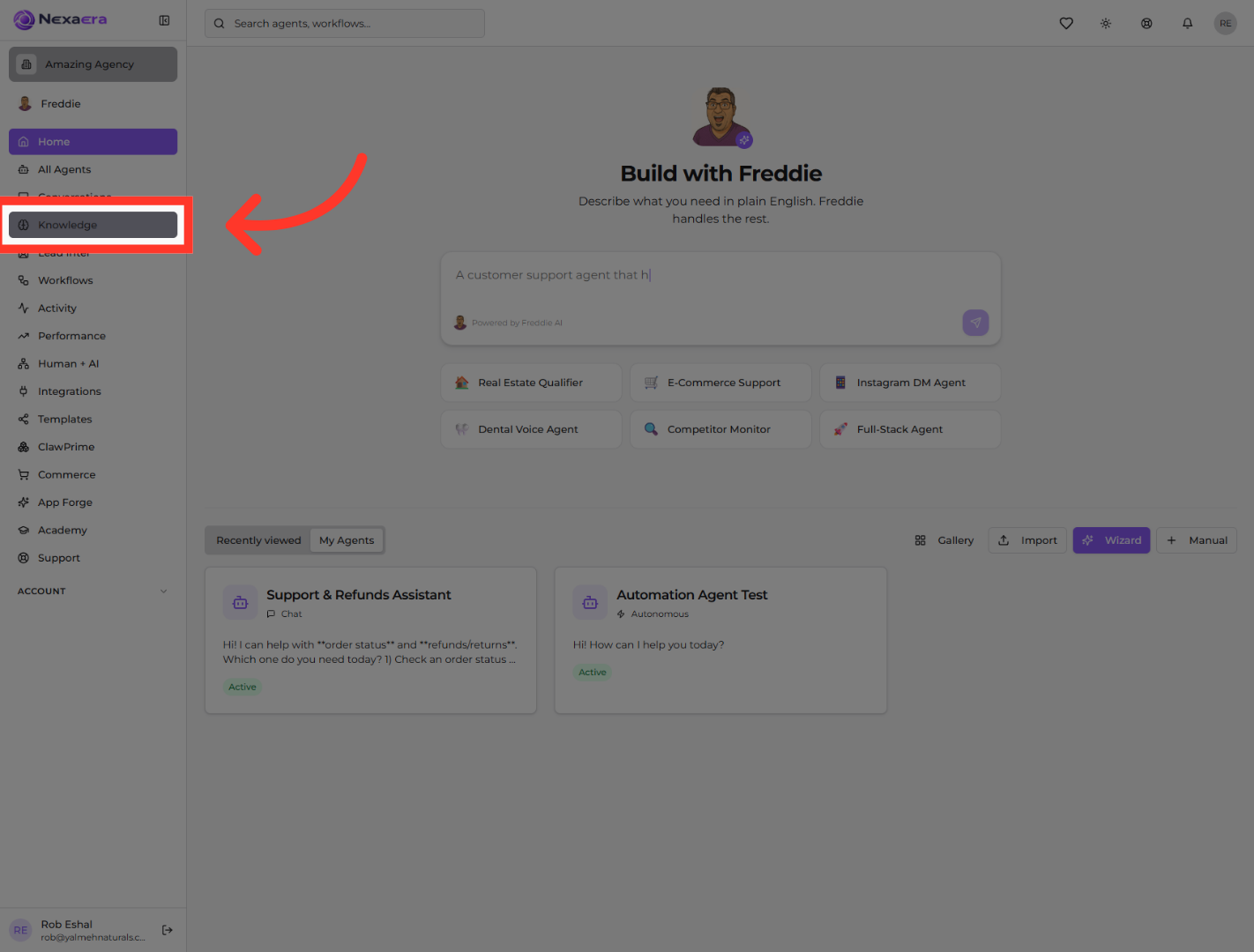
3. Open Loom Subsection
Scroll down to “Add New Training Data.” You’ll see a row of tabs — find “Loom” and click it. It sits right next to YouTube, since both pull knowledge straight from video.
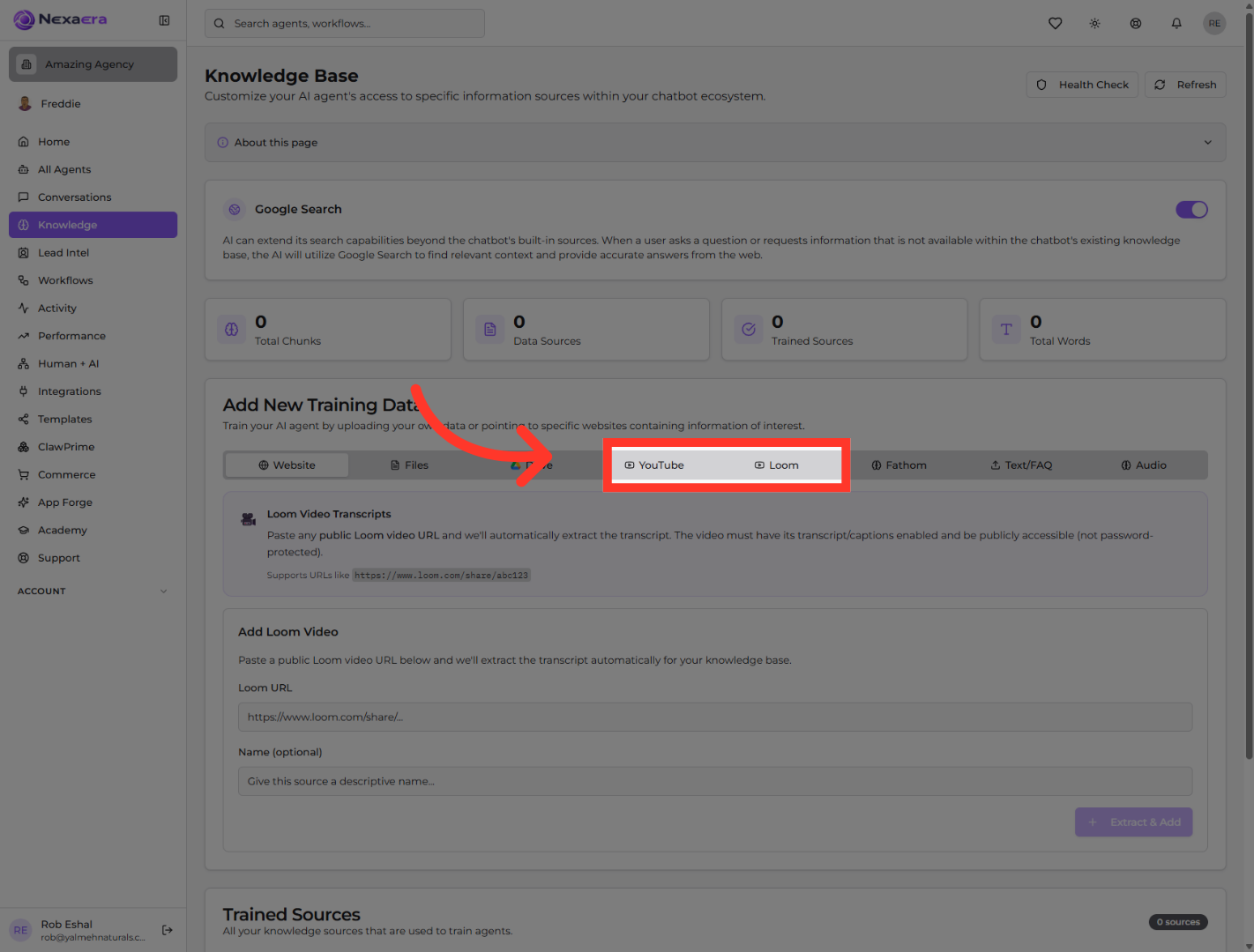
4. Select Loom Share Link
Now grab your Loom share link and paste it into the “Loom URL” box. NexaEra will automatically pull the transcript from that video — and that transcript is exactly what your agents learn from.
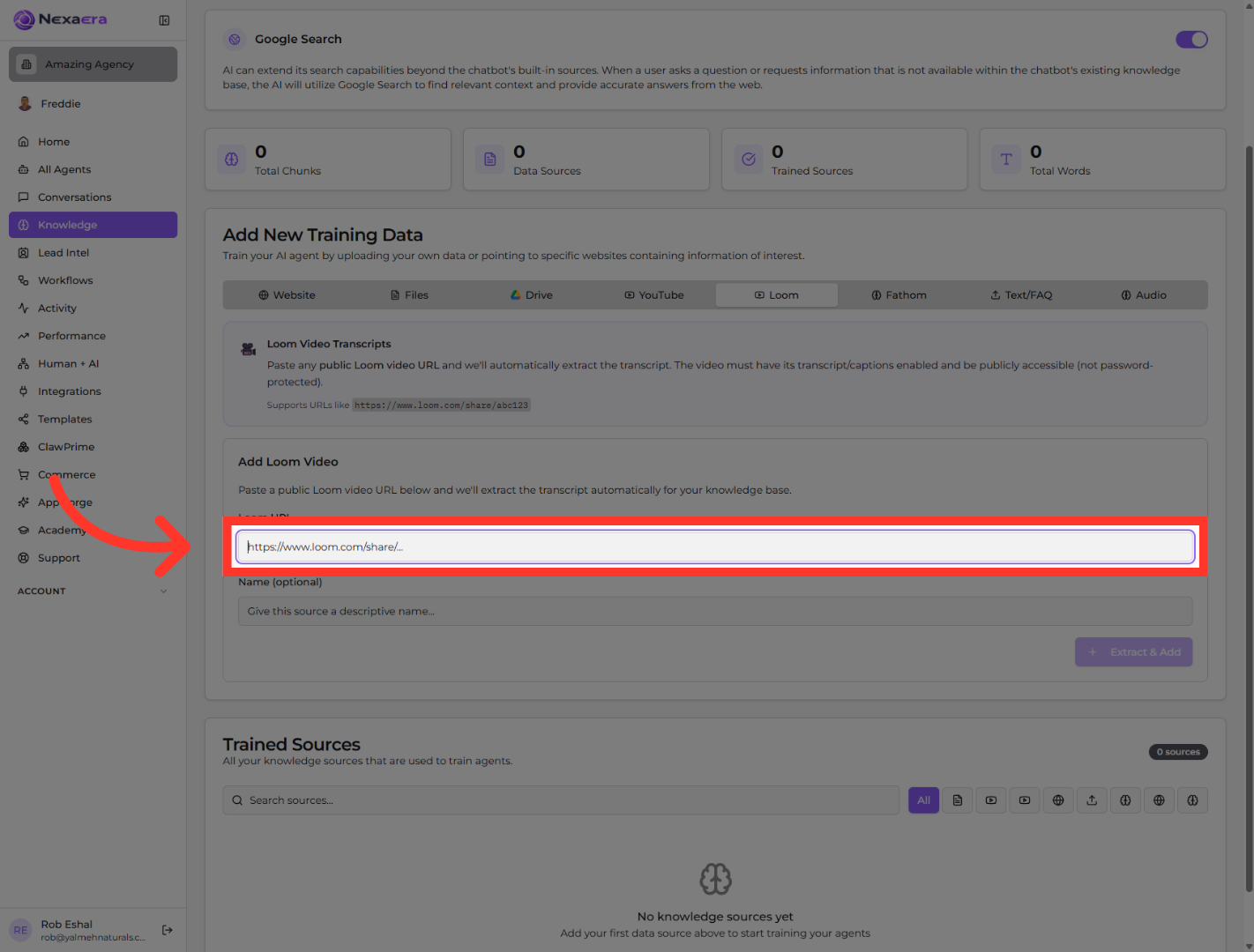
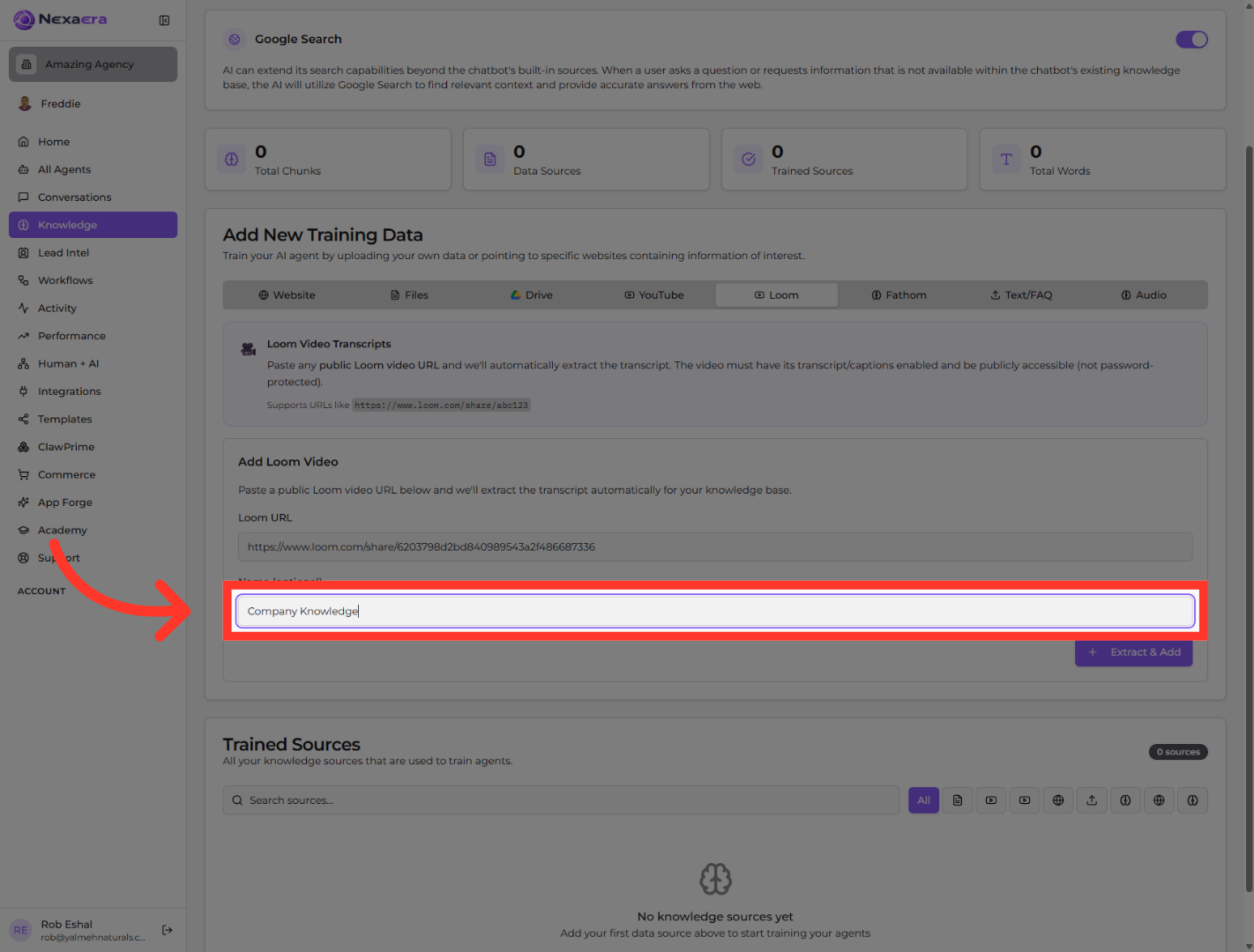
5. Name Knowledge Entry
Give it a clear name so you can find it later. Here, we’ll type “Company Knowledge.” Simple, descriptive labels keep your knowledge base easy to manage as it grows.
6. Extract and Add Content
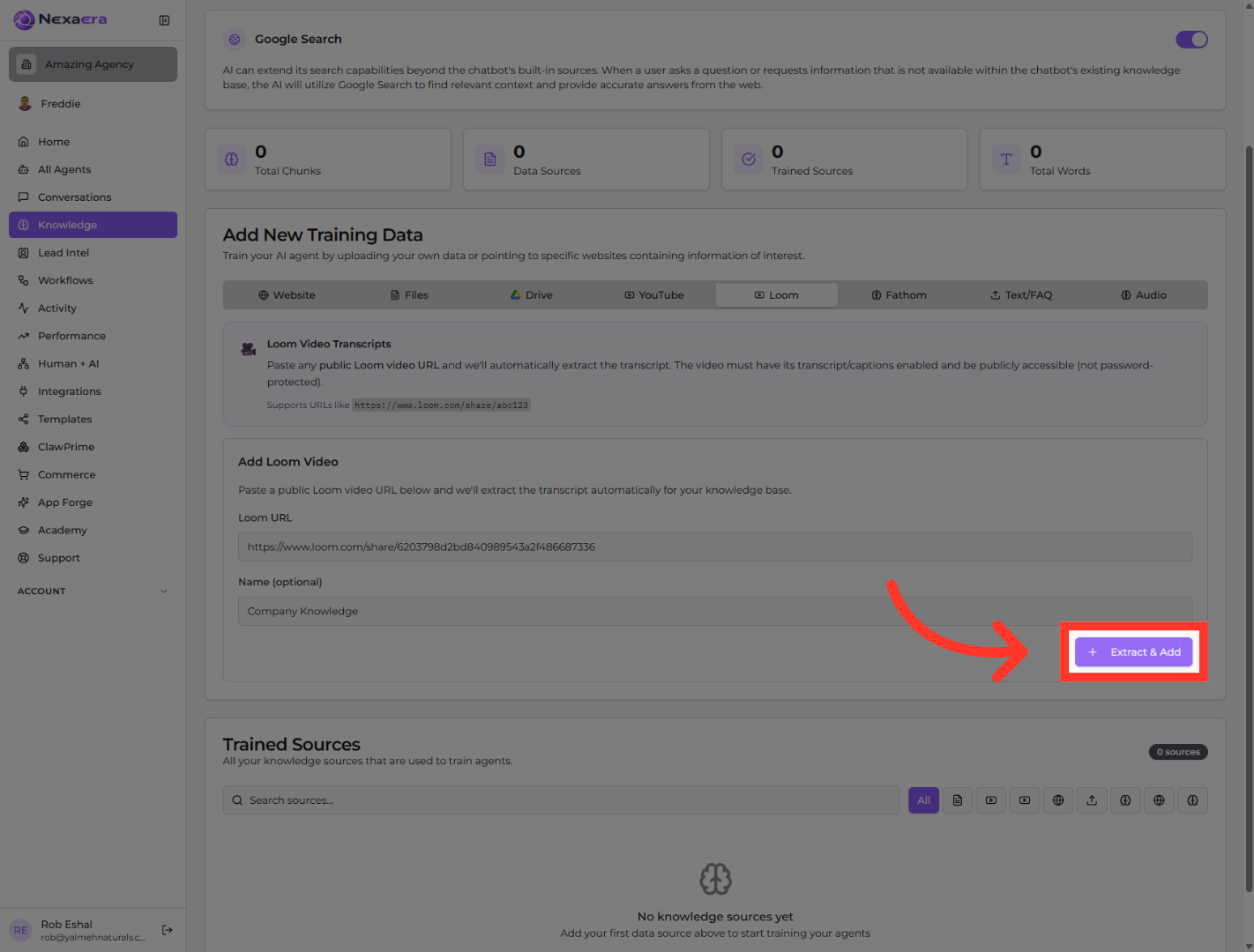
Last step — click “Extract & Add.” NexaEra grabs the transcript, processes it, and drops it right into your knowledge base. That’s it — your Loom is now training material.
And you’re done — your Loom video is now company knowledge your agents can tap into anytime. From here, you can add more videos the same way, or mix in files, websites, and docs to make your agents even sharper. Go ahead and paste in your next link.
Still need help? Ask the team