Manage Knowledge Sources Efficiently In NexaEra Dashboard
Outdated training data can quietly drag down your AI agent's answers. In the next minute, you'll learn how to review your knowledge sources and clean out the ones you don't need. It's quick, and it keeps your agents sharp and accurate.
Written By Fred Yalmeh
Last updated About 2 months ago
1. Introduction
Here's the game plan. We'll do three simple things. First, open your Knowledge Base. Then review the sources that are training your agents. And finally, delete one you no longer need. Clean data means smarter, more accurate replies.

2. Access Knowledge Section
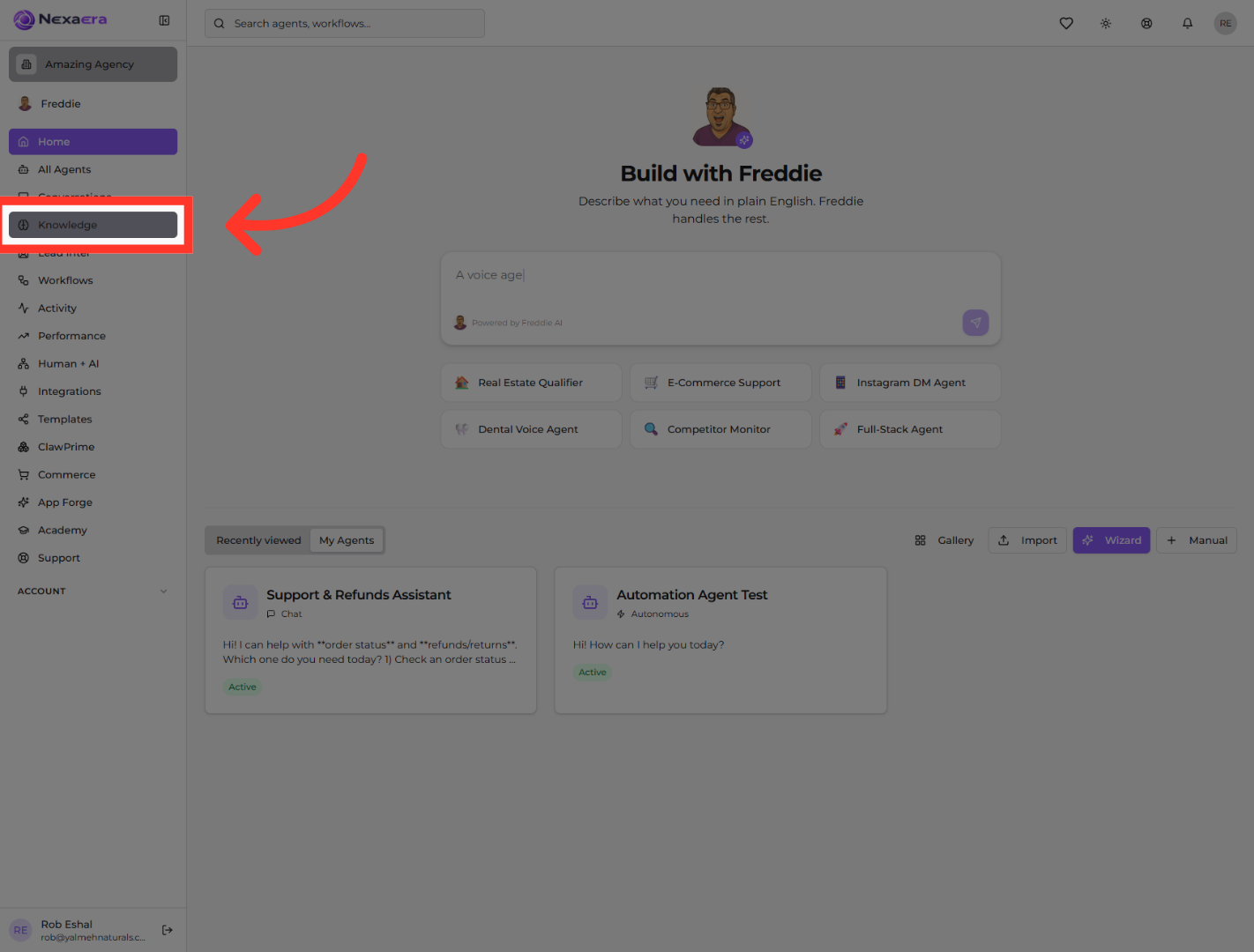
Look over at the left sidebar and find "Knowledge." Go ahead and click it. This opens your Knowledge Base — the central hub where all of your agent training lives.
3. Open Trained Sources List
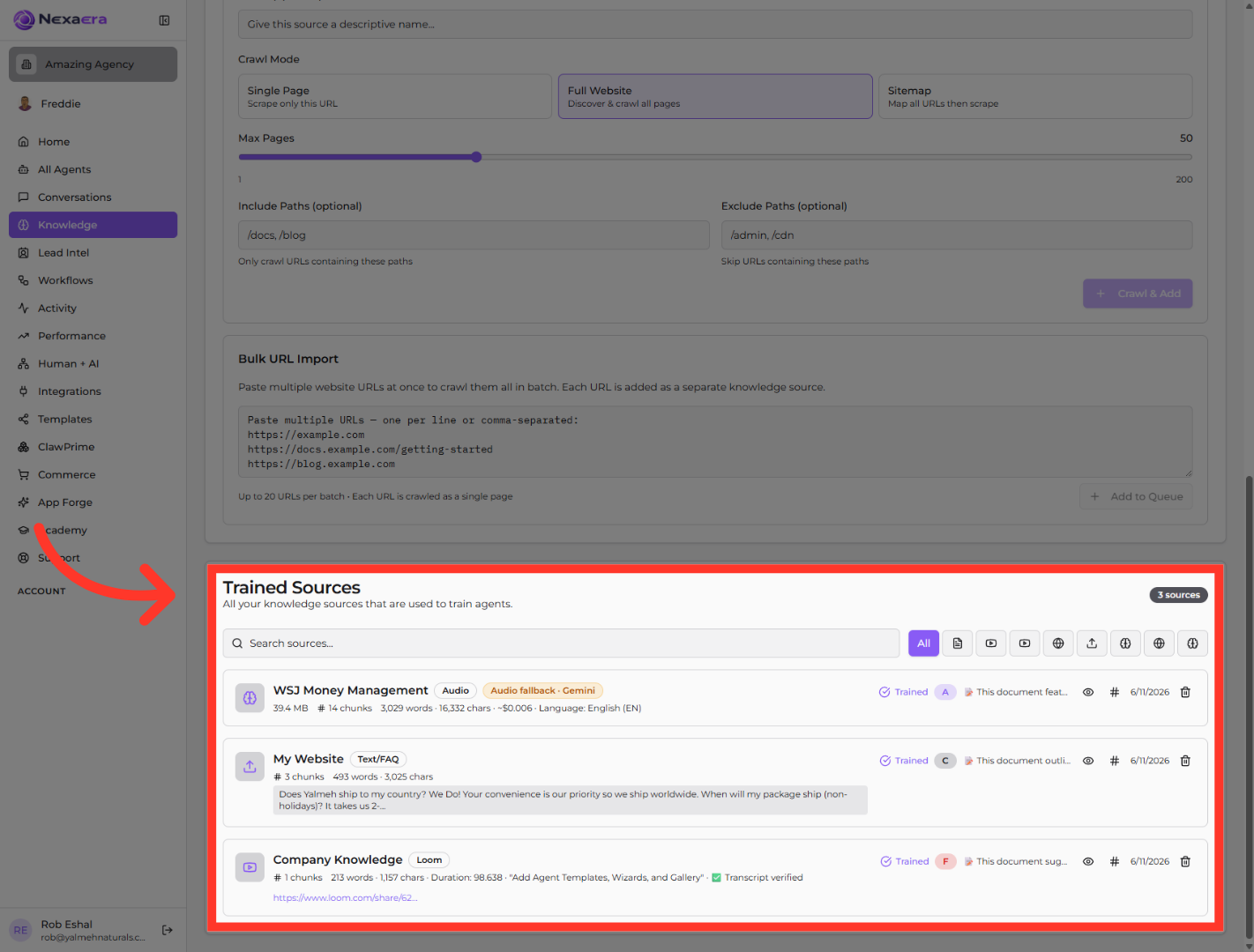
Now scroll down to the "Trained Sources" panel. This is the part that matters. It lists every source currently training your agents. Right now there are three, and each one shows its type, its word count, and a green "Trained" status.
4. Open Source Options
Before you delete anything, do a quick review. On the source's row, click the eye icon to preview it. This lets you check the actual content, so you remove the right one — and not something you still need.

5. Open Final Options Menu
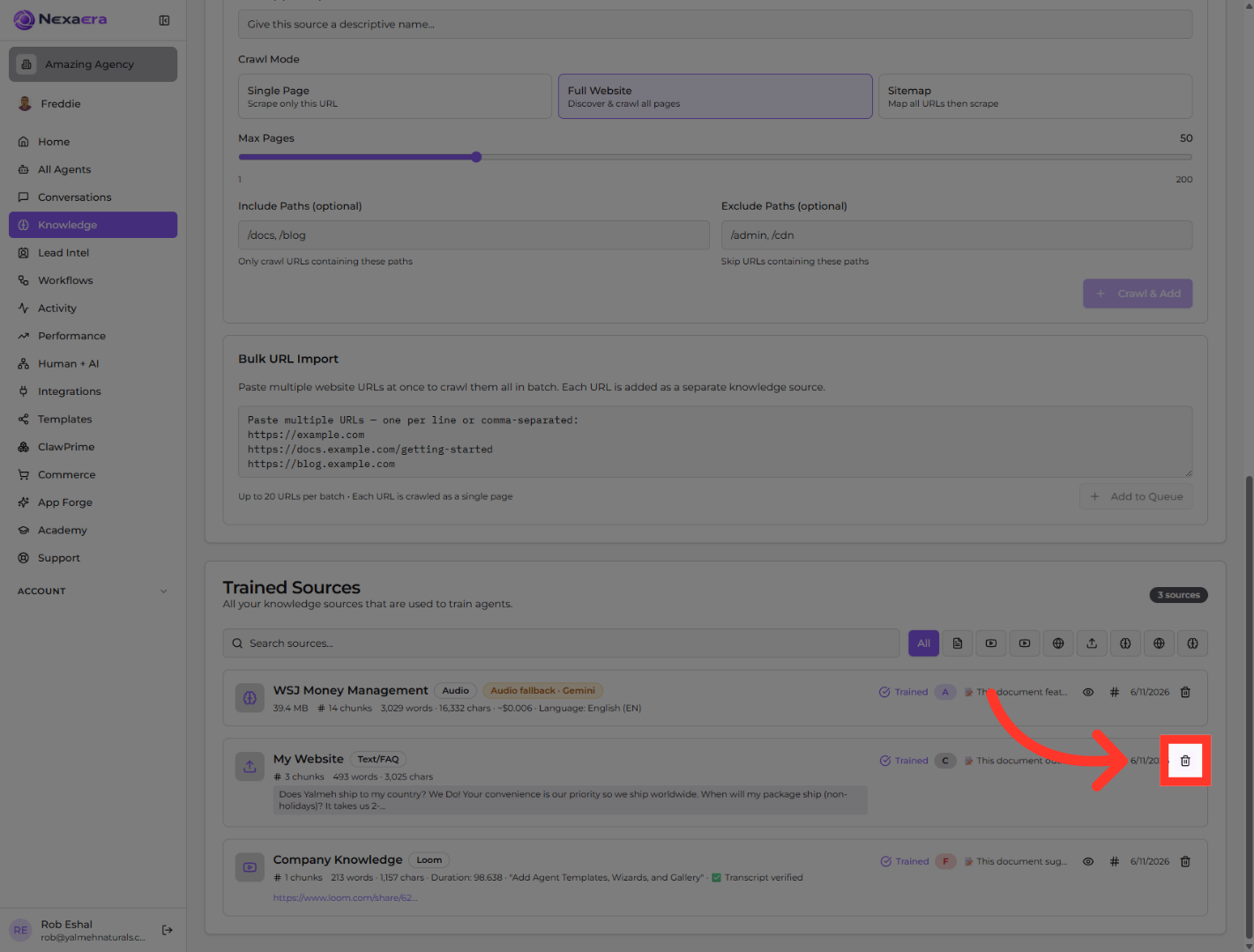
Found the one you want gone? In this example, we're removing the "My Website" source. On its row, click the trash icon over on the right. That kicks off the delete.
6. Delete Knowledge Source
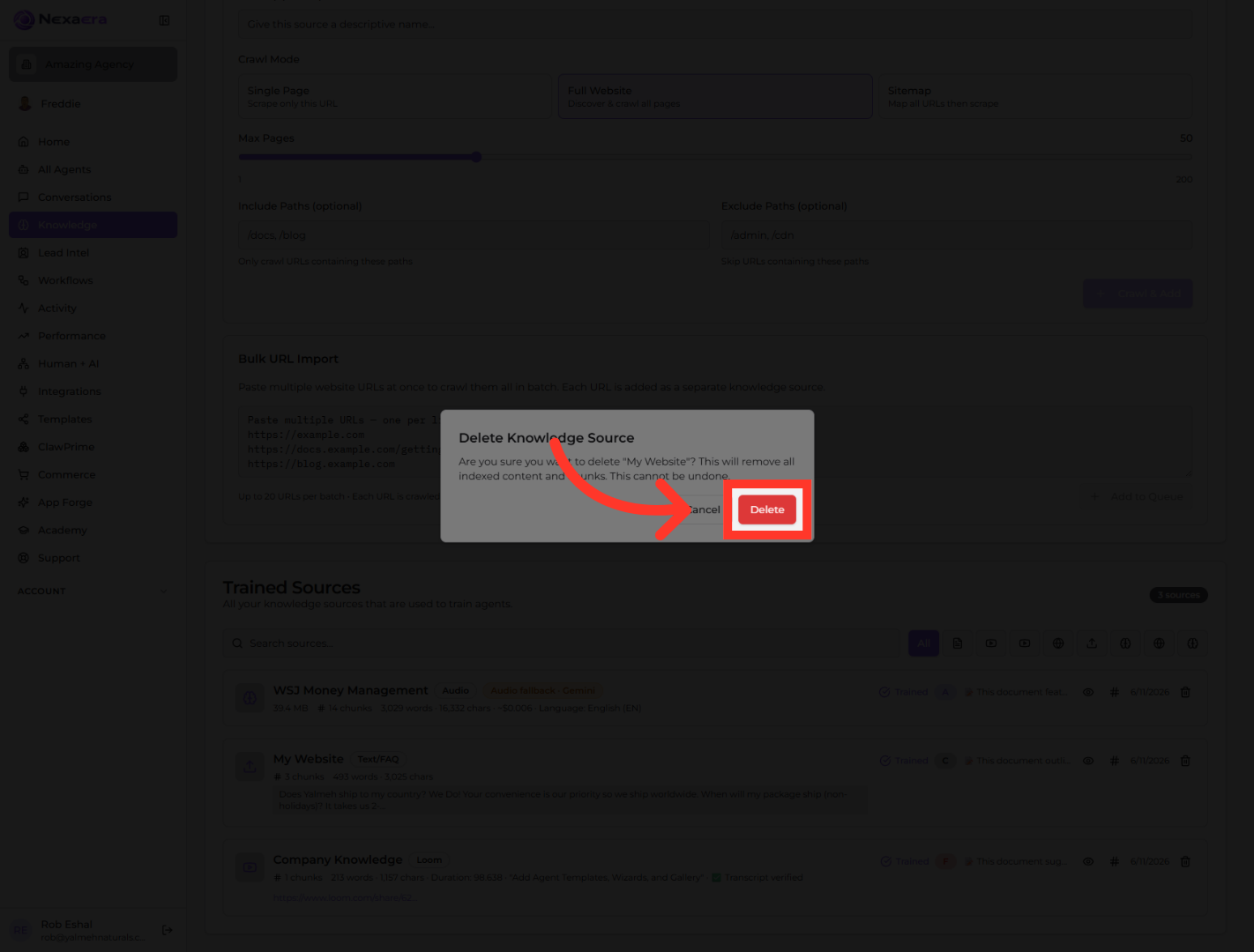
A confirmation box pops up. It warns that this removes all the indexed content and can't be undone. When you're sure, click the red "Delete" button to finish.
And that's it. You've reviewed your sources and cleared out the one you didn't need. Your Knowledge Base is cleaner, and your agents will pull from fresh, relevant data. Do this every now and then, and your agents stay sharp. See you in the next one.
Still need help? Ask the team