Explore Setup Guide In Lead Intel On NexaEra CRM.
If setting up lead automation sounds intimidating, here's some good news. There's a built-in Setup Guide that walks you through the whole thing — no coding, just copy and paste. Let me show you where it lives and what it covers.
Written By Fred Yalmeh
Last updated About 2 months ago
Go to www.nexaera.com
1. Introduction
In this quick tour, we'll open the Setup Guide and walk through its checklist. By the end, you'll know exactly what it takes to connect your funnel and start capturing leads automatically.

2. Access Lead Intel Section
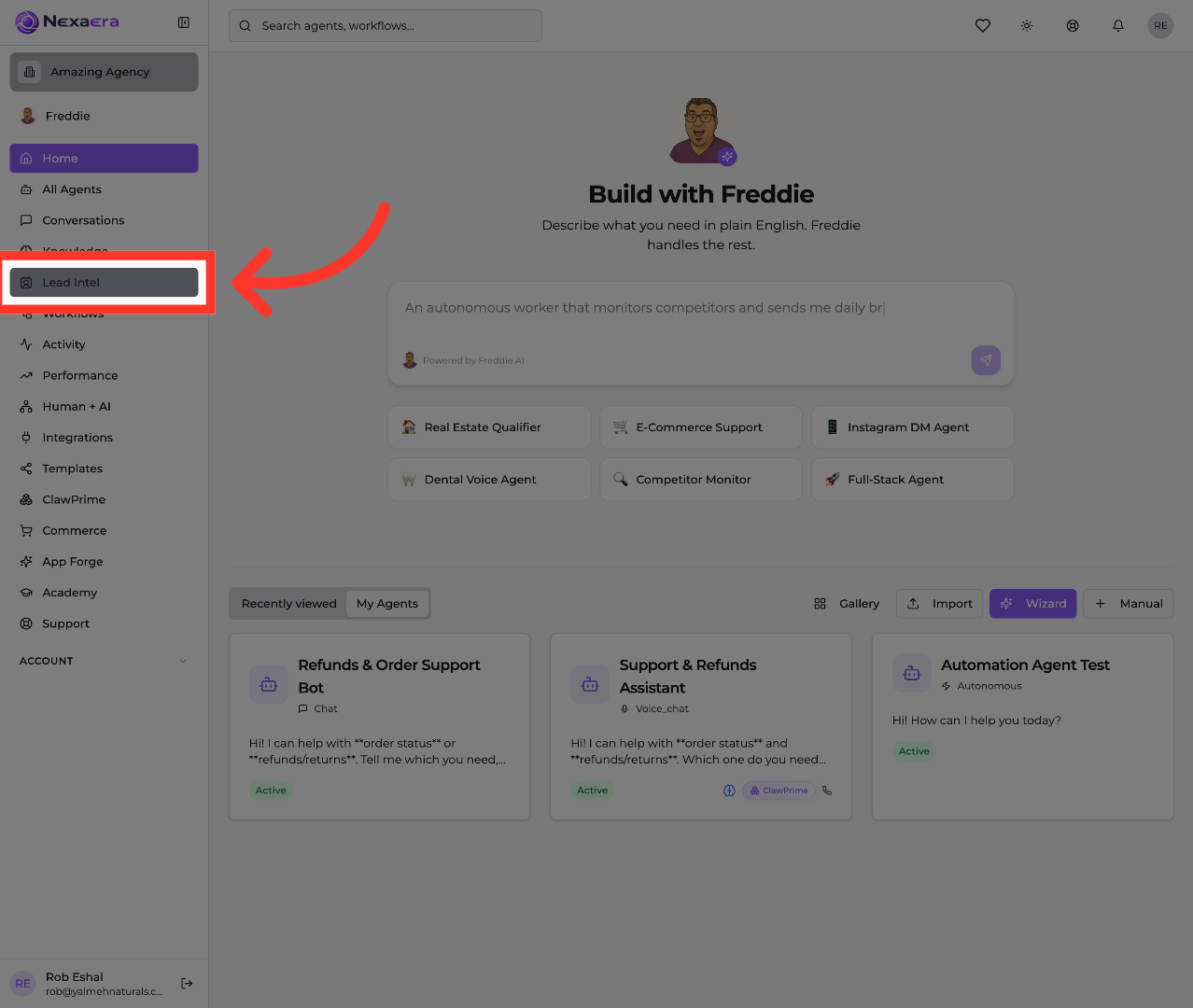
Start on the left sidebar and click "Lead Intel." This is your built-in CRM, where you manage all of your lead sources and connections.
3. Open Setup Guide
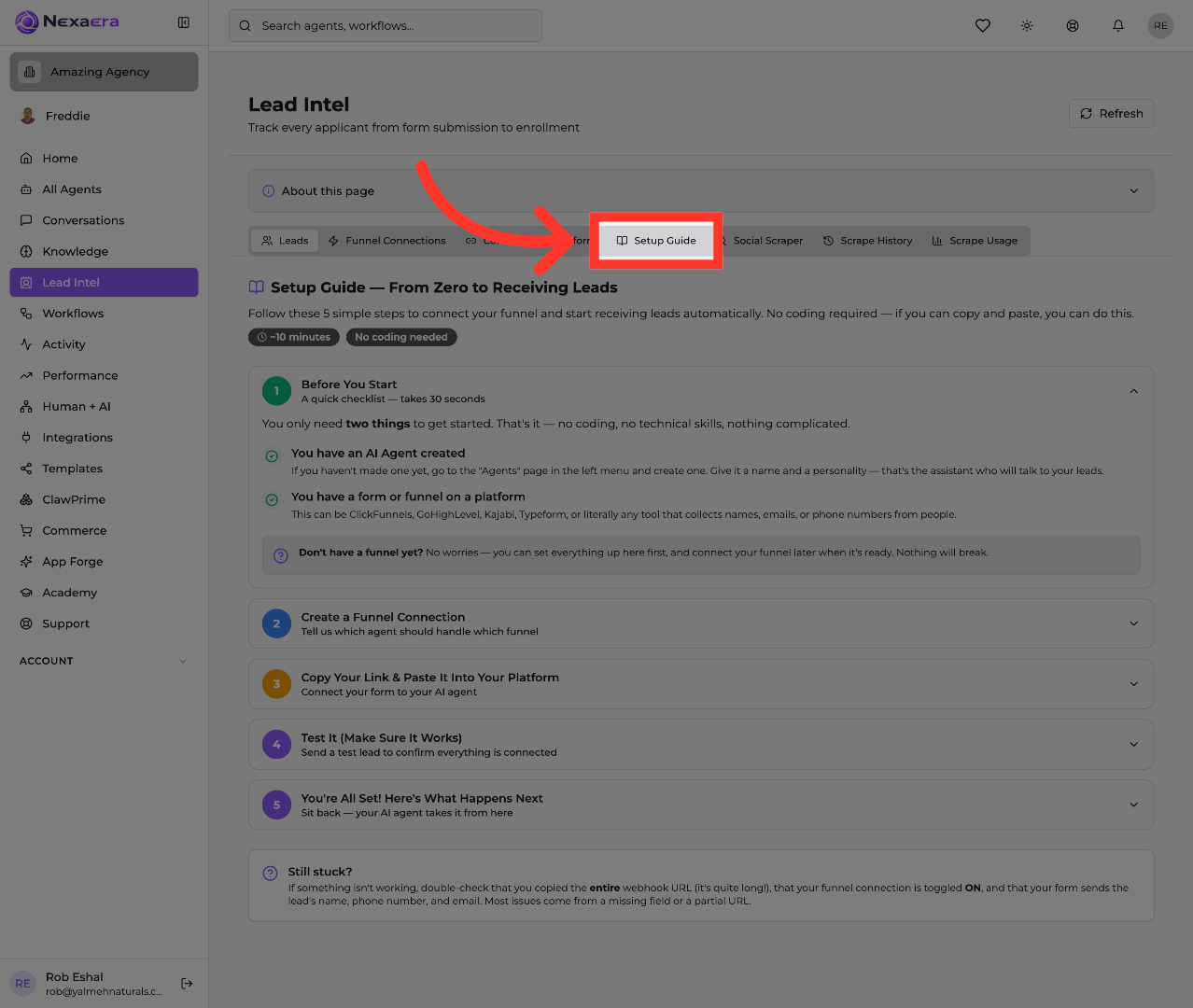
Along the top, click the "Setup Guide" tab. This opens a friendly, five-step walkthrough that takes you from zero all the way to receiving leads. It's built so anyone can follow it.
4. Review Pre-Setup Checklist
Start with step one — "Before You Start." It's a thirty-second checklist. You really only need two things: an AI agent that's already created, and a form or funnel on any platform, like ClickFunnels, GoHighLevel, or Typeform.

5. Create Funnel Connection
Now scroll through the rest of the guide. Step two connects a funnel to an agent. Step three has you copy your link and paste it into your platform. Step four sends a test lead, and step five shows what happens once you're live. Each one opens up with simple, copy-and-paste instructions.
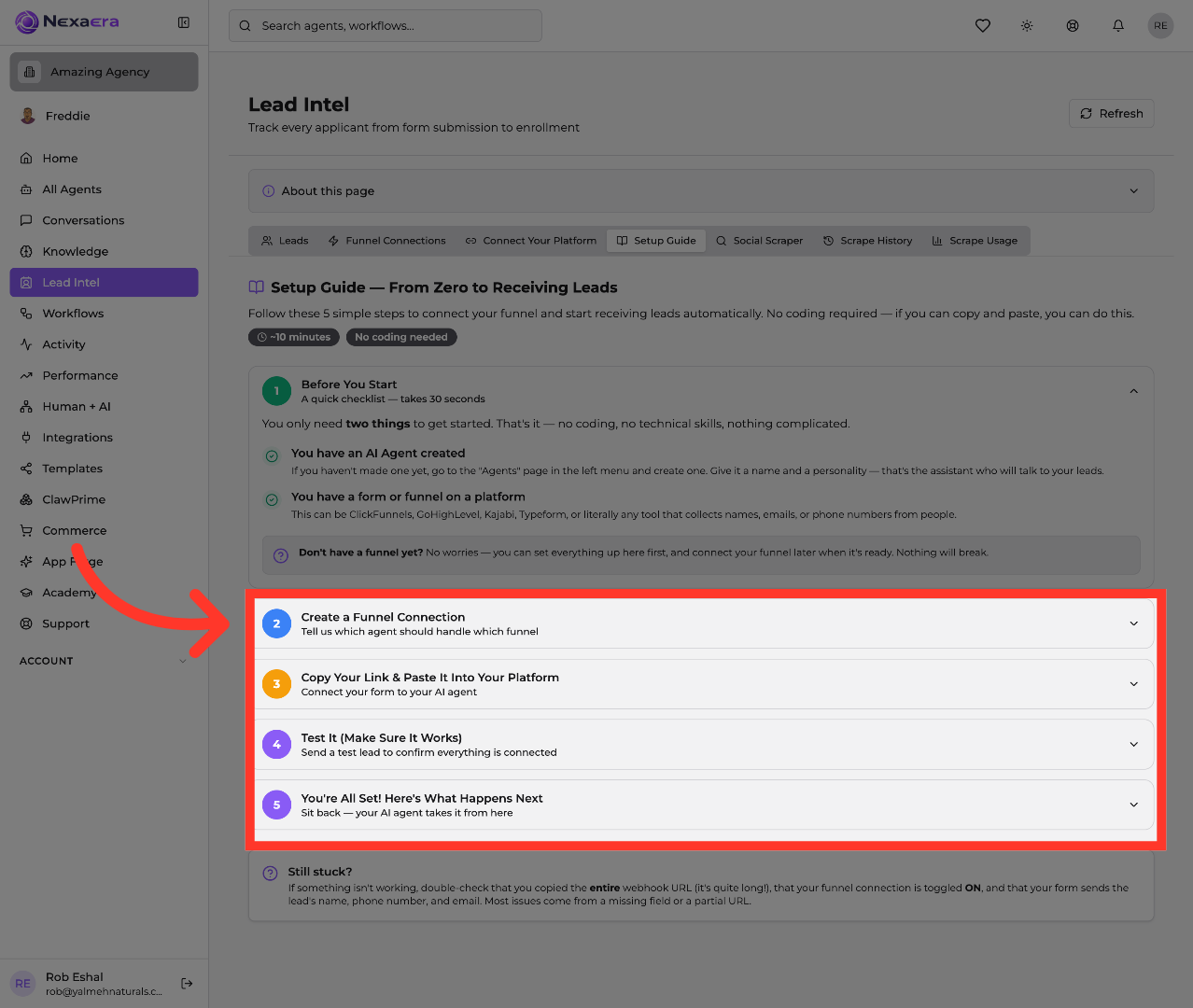
And that's your whole roadmap. You now know exactly what the Setup Guide covers — from the checklist to your first live lead. Follow these five steps, and your agent will handle new leads for you automatically. See you in the next one.
Still need help? Ask the team