Explore Commerce Analytics Features In NexaEra Dashboard
Are your agents actually driving sales? The Commerce Analytics dashboard answers that at a glance — revenue, orders, average order value, and conversion rate, all in one view. Let me show you around.
Written By Fred Yalmeh
Last updated 27 days ago
Go to nexaera.com
1. Introduction
In this quick video, you'll open your commerce analytics and learn what each key metric means — total revenue, total orders, average order value, and conversion rate. Let's dive in.

2. Access Commerce Section
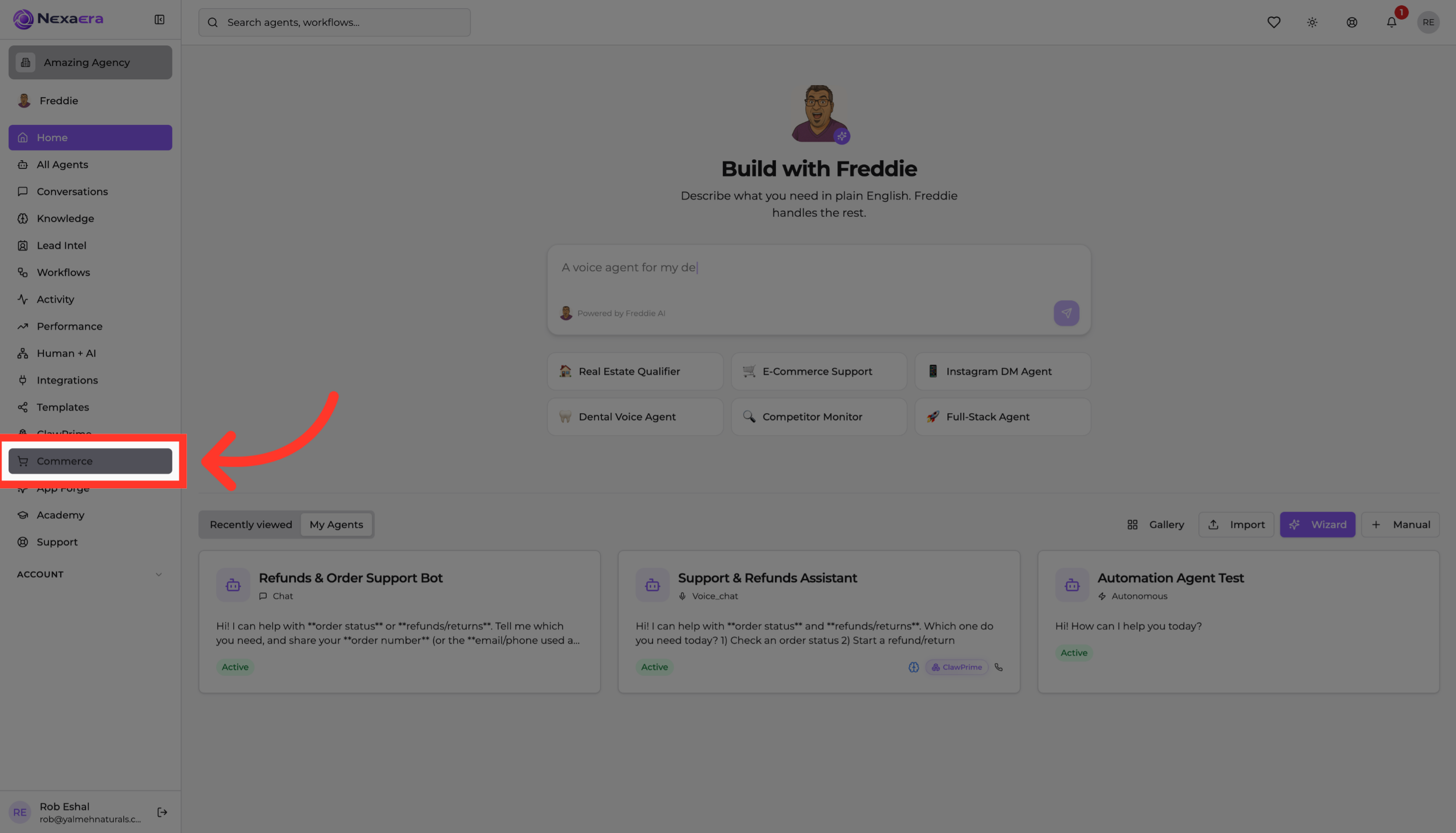
On the left sidebar, click "Commerce." This opens your store, where all of your sales data lives.
3. Open Analytics Page
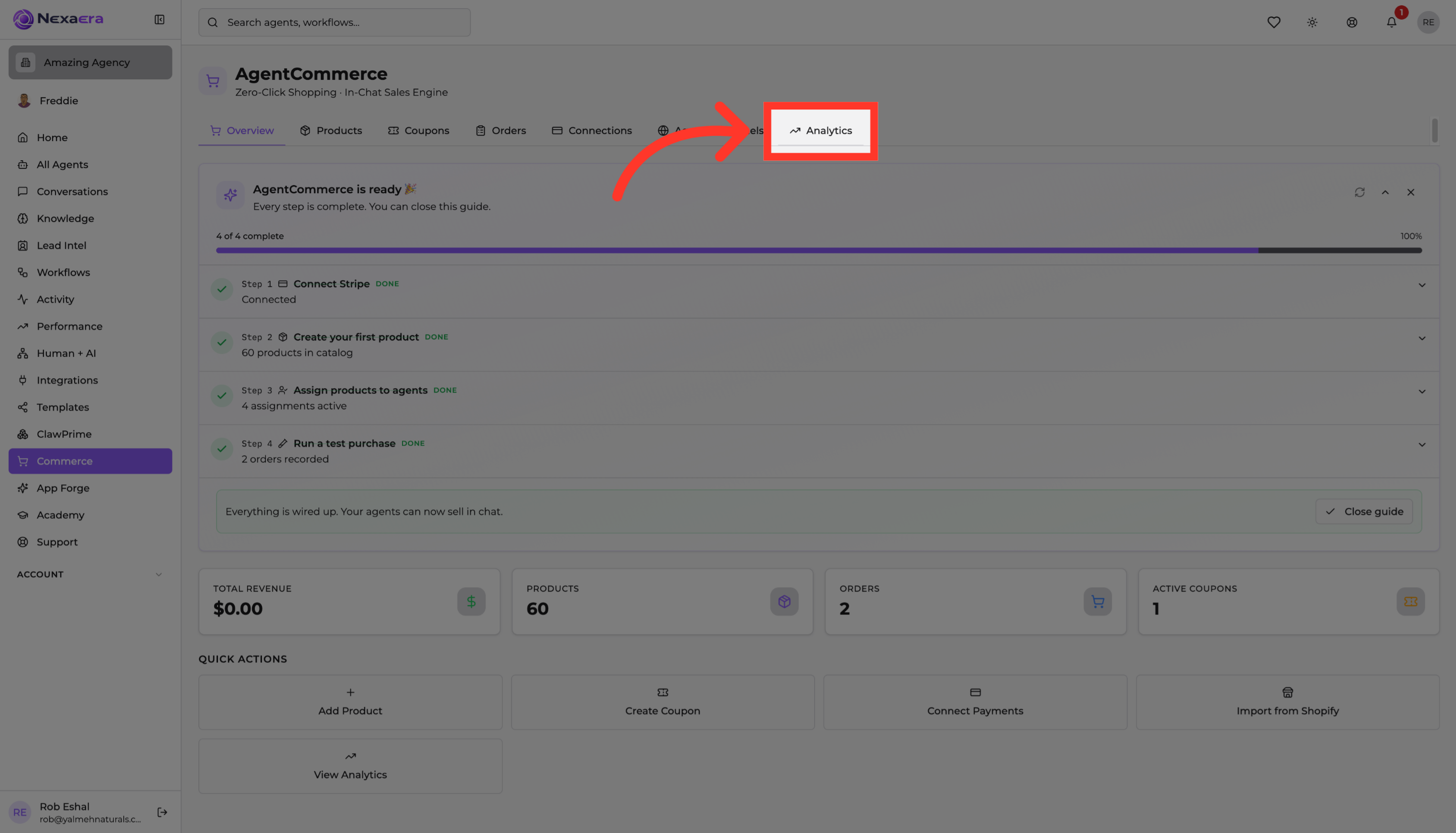
Along the top, click the "Analytics" tab. This opens your Revenue Analytics — a clear read on how your agents are selling.
4. View Total Revenue Metric
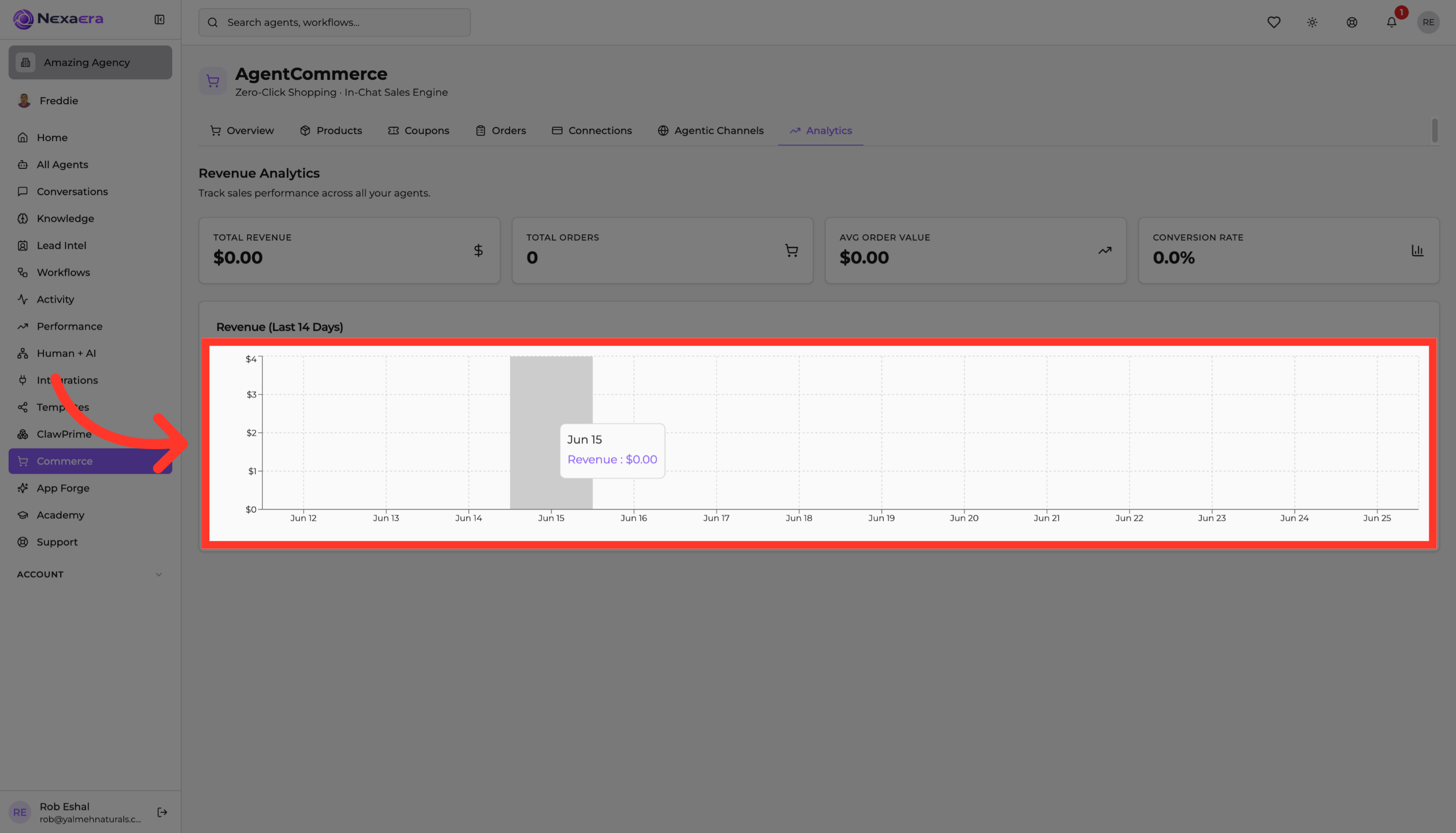
Up top are four key metrics. The first is "Total Revenue" — every dollar your agents have brought in. It's zero for now, but this is your headline number as sales start rolling in.

5. Check Total Orders Count
Next is "Total Orders" — the number of purchases completed. Pair it with revenue, and you get a feel for how often your agents are closing.

6. Inspect Average Order Value
"Average Order Value" shows how much a typical customer spends per order. It's a great one to watch — nudging it up means more revenue from the same traffic.

7. Examine Conversion Rate
And "Conversion Rate" is the share of conversations that turn into a sale. It's the clearest measure of how persuasive your agents really are.

8. Access Additional Options
Below the cards is your revenue trend for the last fourteen days. Hover over any day to see the exact figure — a quick way to spot your best days and any dips.
And that's your Commerce Analytics. You can now track revenue, orders, average order value, and conversion rate — everything you need to see how your agents are performing and make smart decisions. See you in the next one.
Still need help? Ask the team