Enable Extended AI Search Capabilities In Nexaera
"What happens when a customer asks your agent something that isn't in its training? Instead of hitting a dead end, your agent can search the web for the answer. It's one toggle, and it makes your chatbot dramatically more helpful. Let me show you where to find it."
Written By Fred Yalmeh
Last updated About 2 months ago
Go to www.nexaera.com
1. Introduction
"Here's what you'll be able to do by the end: open your Knowledge Base and switch on Google Search, so your agent can pull accurate answers from the web whenever its own knowledge comes up short."

2. Access Knowledge Section
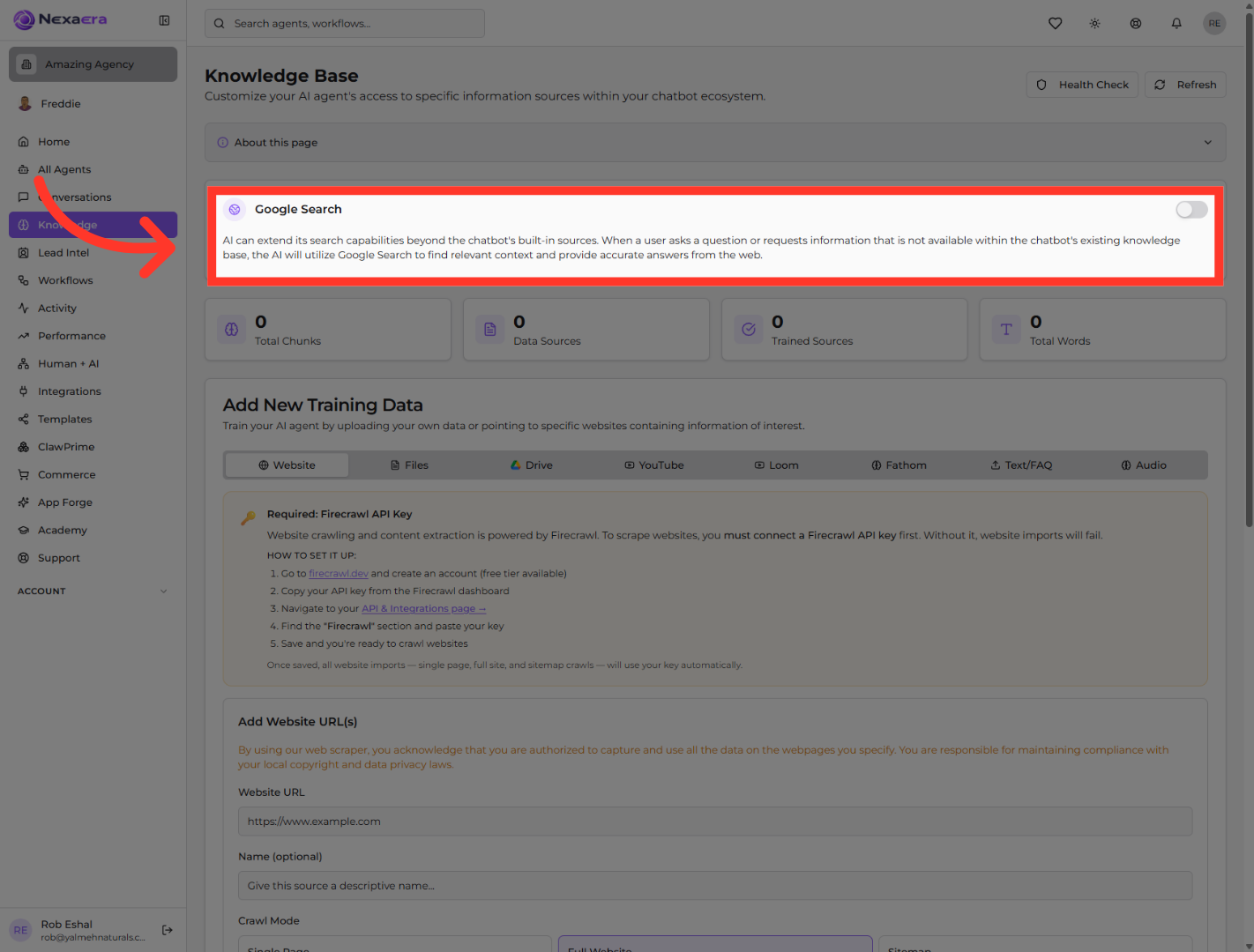
"Start by clicking 'Knowledge' in the left menu. This opens your Knowledge Base — the central hub where you train all your agents and control what information they can access."

3. Open AI Search Feature Details
"At the top of the Knowledge Base, you'll see the 'Google Search' panel. Here's what it does: when a visitor asks something that isn't in your agent's trained sources, this lets the AI reach out to Google, find relevant context, and give an accurate answer from the web instead of saying 'I don't know.'"
4. Activate Extended Search
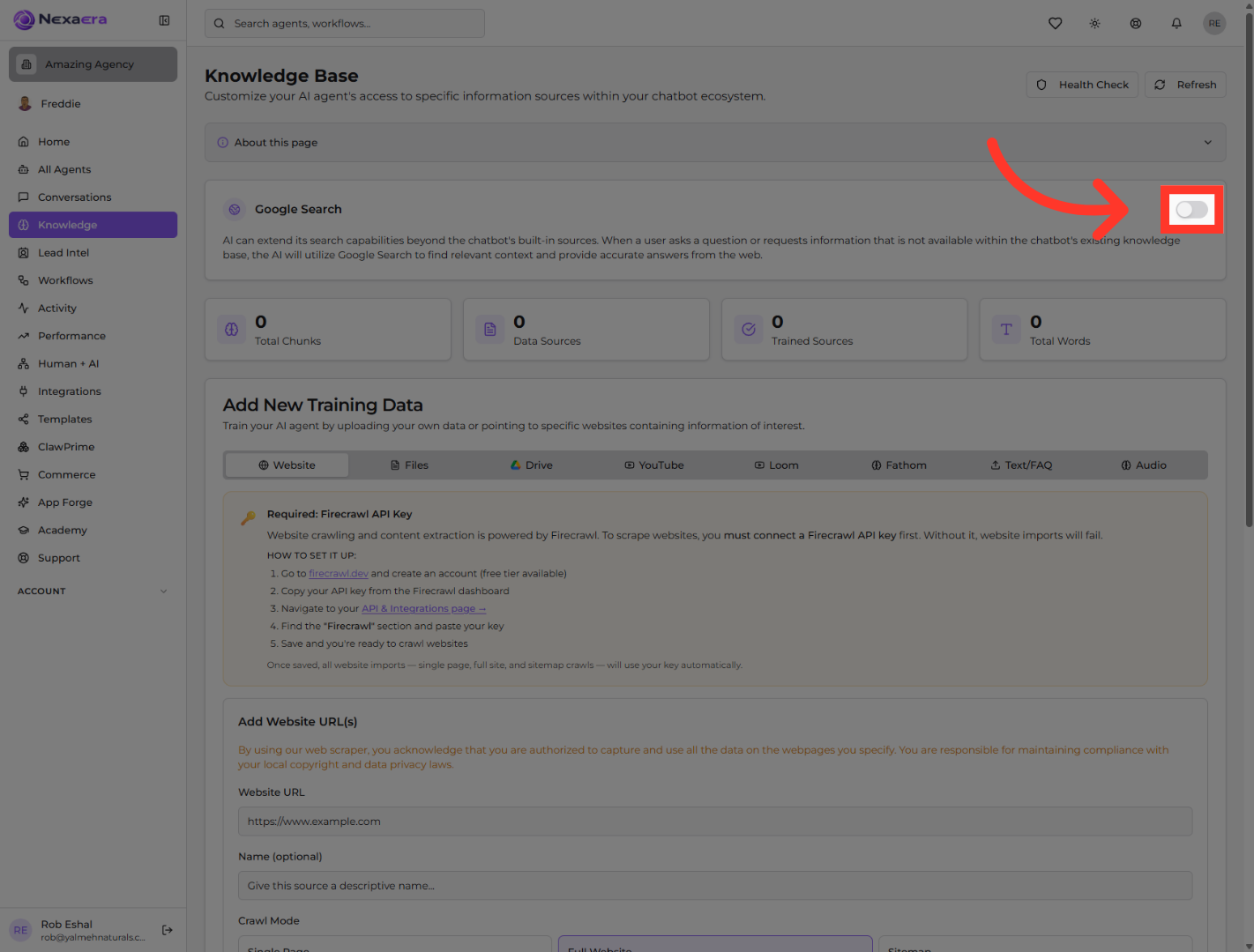
"Toggle the switch on the right to 'on.' That's it — your agent's search now extends beyond its built-in knowledge. The next time someone asks about something you haven't trained it on, it'll find the answer online."
"And that's the whole thing. With web search enabled, your agent is no longer boxed in by its training — it can pull fresh, accurate information straight from the web. Just remember, this applies globally, so every agent that inherits the default gets the boost. Nicely done."
Still need help? Ask the team