How to start a new conversation with Freddie any time.
"Here's the best part about NexaEra: Freddie is always one click away. Any time you get stuck, want to build something new, or just have a question, you can open a fresh conversation with him from anywhere. In this quick walkthrough, we'll open Freddie and have him set up a phone agent for customer support."
Written By Fred Yalmeh
Last updated About 2 months ago
Go to www.nexaera.com
1. Introduction
"On the left menu, click Freddie. His chat panel slides open right there on your dashboard, ready to go. You'll see his greeting: 'I know everything about your portal — ask me anything, from creating agents to troubleshooting issues.'"

2. Access Freddie Assistant
"Down at the bottom of the panel, click the 'Ask Freddie anything' box. That activates the input field so you can type your question or request."

3. Open Freddie Query Input
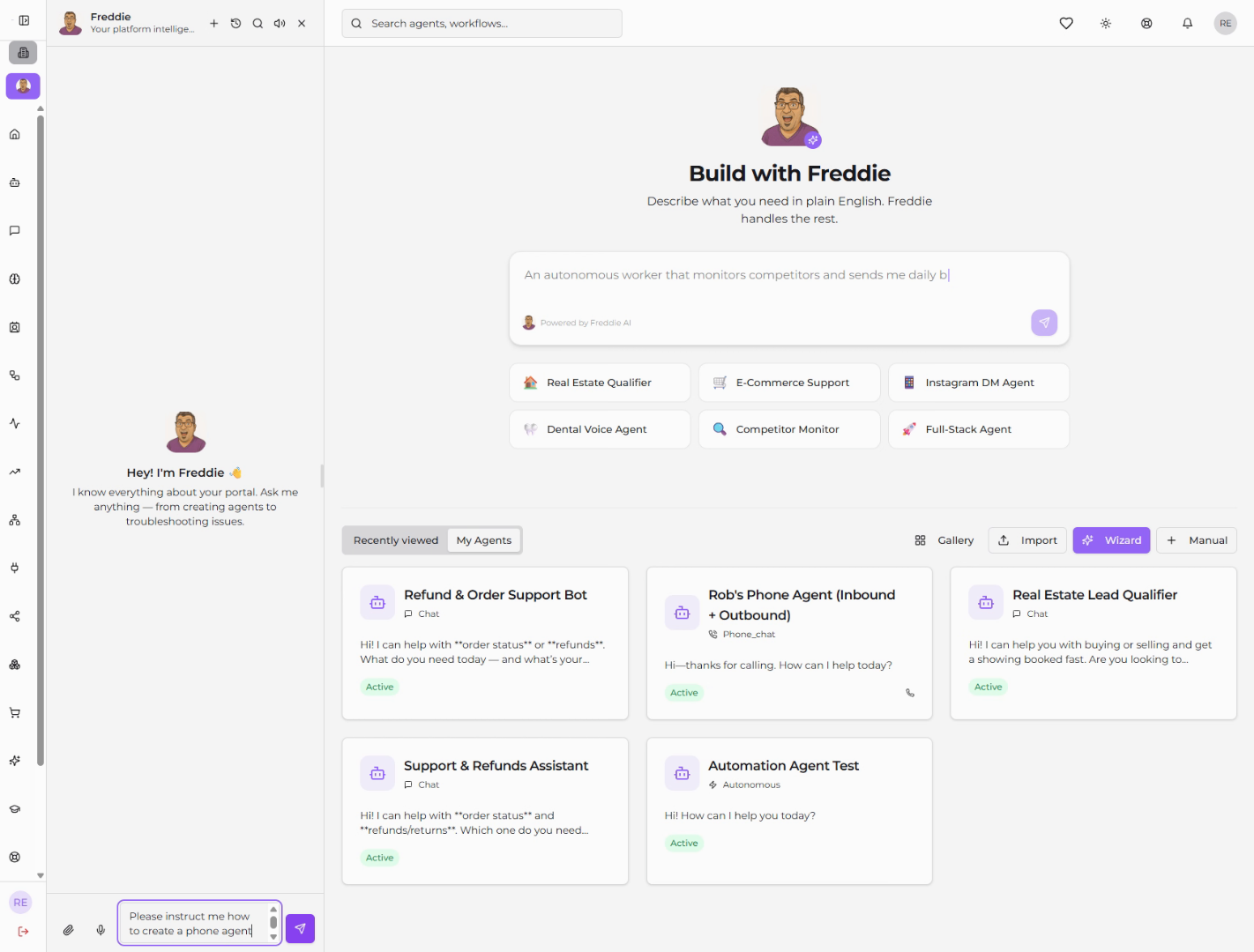
"Now just tell Freddie what you want in plain English. Type something like: 'Please instruct me how to create a phone agent for customer support.' Hit send, and he'll walk you through it step by step."

4. Request Phone Agent Setup
"Freddie will ask which phone provider you want to use — options like Twilio, Telnyx, or Vapi. Pick one, and he'll guide you through connecting it. If you go with Twilio, he'll even show you exactly where to grab your Auth Token."
5. Confirm Connection Status
"Already have your provider hooked up? Just tell Freddie, 'I already have it connected.' He'll confirm the phone agent is linked and ready to take calls."
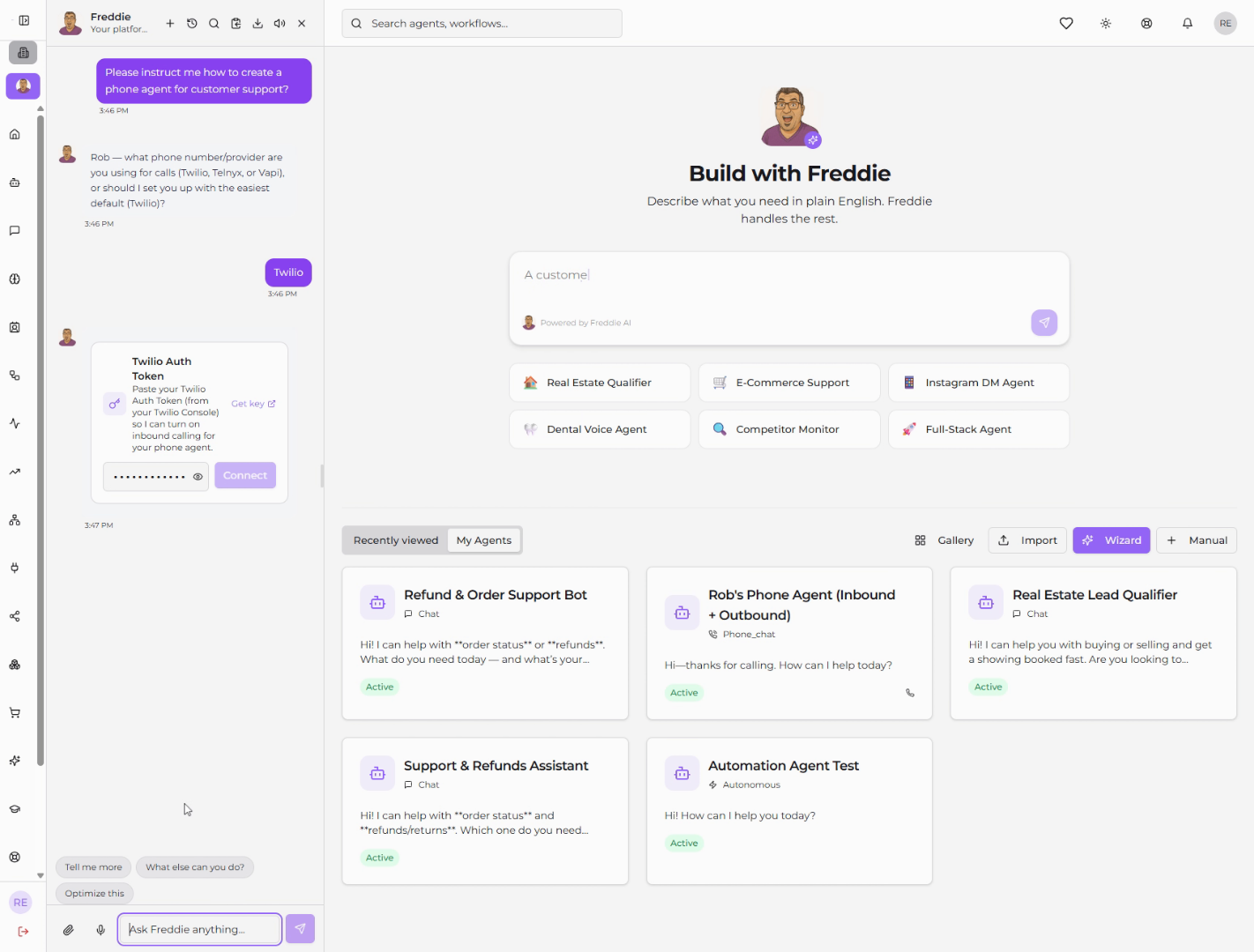
"And there you go. You just opened a new conversation with Freddie and used him to set up a working phone agent. Remember, Freddie's always right there on your sidebar — so any time you need a hand, just click and ask."
Still need help? Ask the team