Configure Google Gemini API Integration in Nexaera
This tutorial guides you through connecting Google Gemini API for enhanced AI capabilities
Written By Fred Yalmeh
Last updated 2 months ago
Go to aistudio.google.com
1. Switch to Google AI Studio
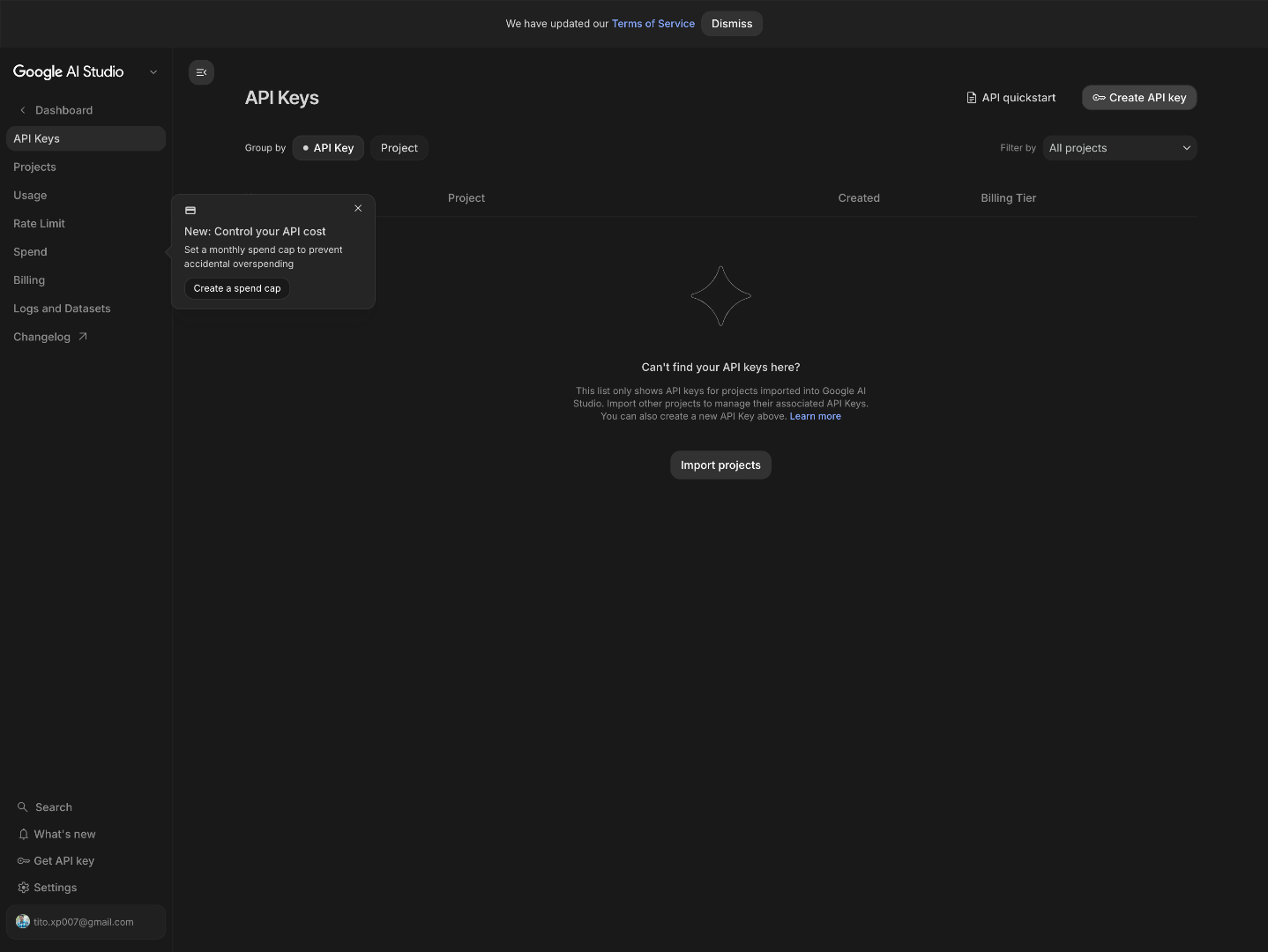
"First, head over to aistudio.google.com and sign in with the Google account you want to use. This is Google's free workspace for everything Gemini, and it's also where your API keys live." "On the left side of the screen, click 'API Keys.' This is where Google lets you create and manage every key on your account."
2. Create New API Key
"In the top-right corner, you'll see a button that says 'Create API key.' Go ahead and click it — that opens a small popup where we'll set everything up."

3. Enter API Key Name
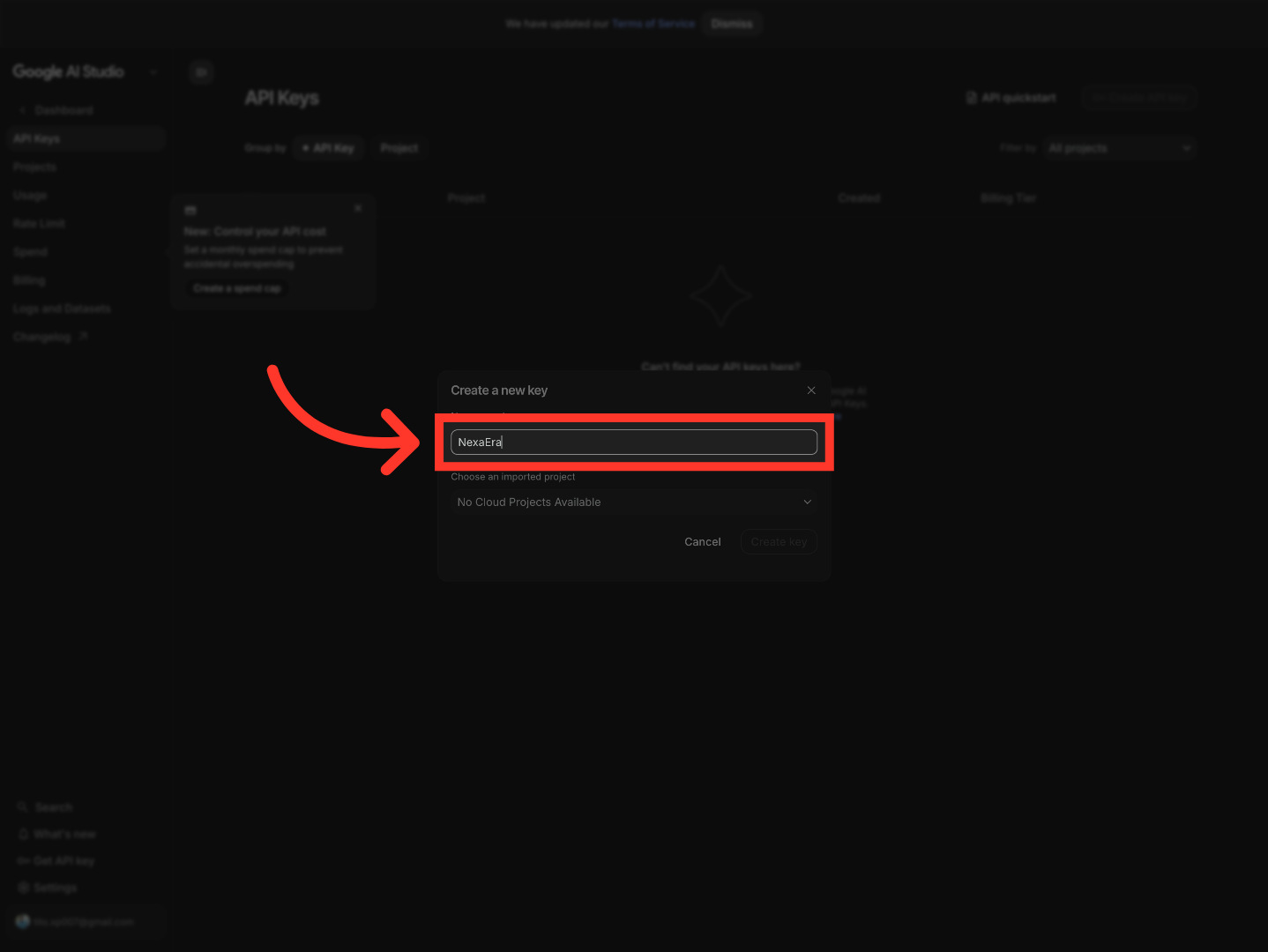
"Now let's give this key a name — anything that helps you remember what it's for. I'll just type in 'My Gemini Key' here. Six months from now, when you're staring at a list of keys, you'll be glad you labeled it."
4. Choose Project Selection
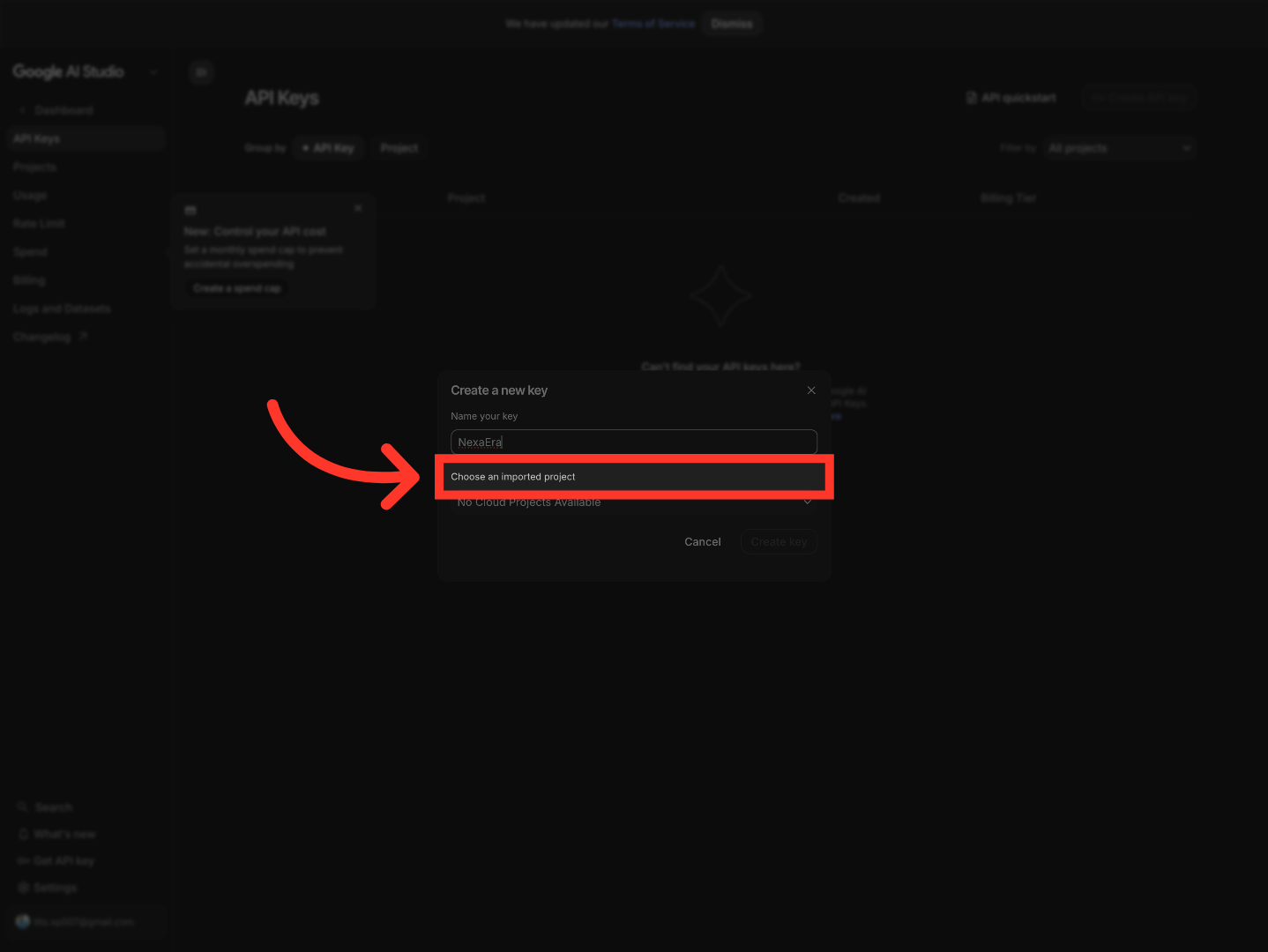
"Right below the name, you'll see a dropdown for the project this key belongs to. If you've never used Google AI Studio before, this list will probably be empty — and that's totally fine. We'll just create a fresh project."
5. Create New Cloud Project
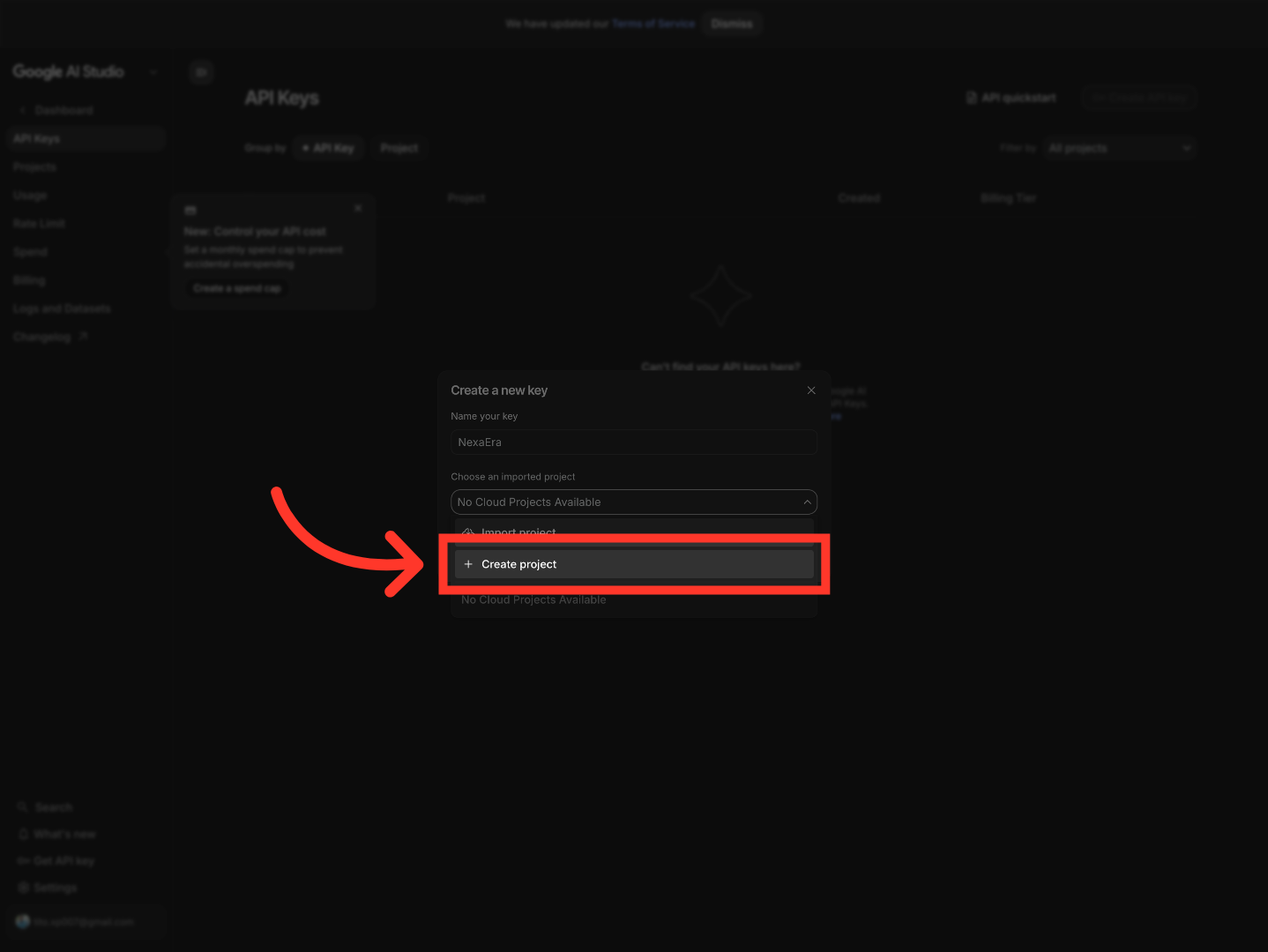
"Hit '+ Create project' to spin up a brand-new Google Cloud project. Don't worry — Google handles all the heavy lifting in the background."
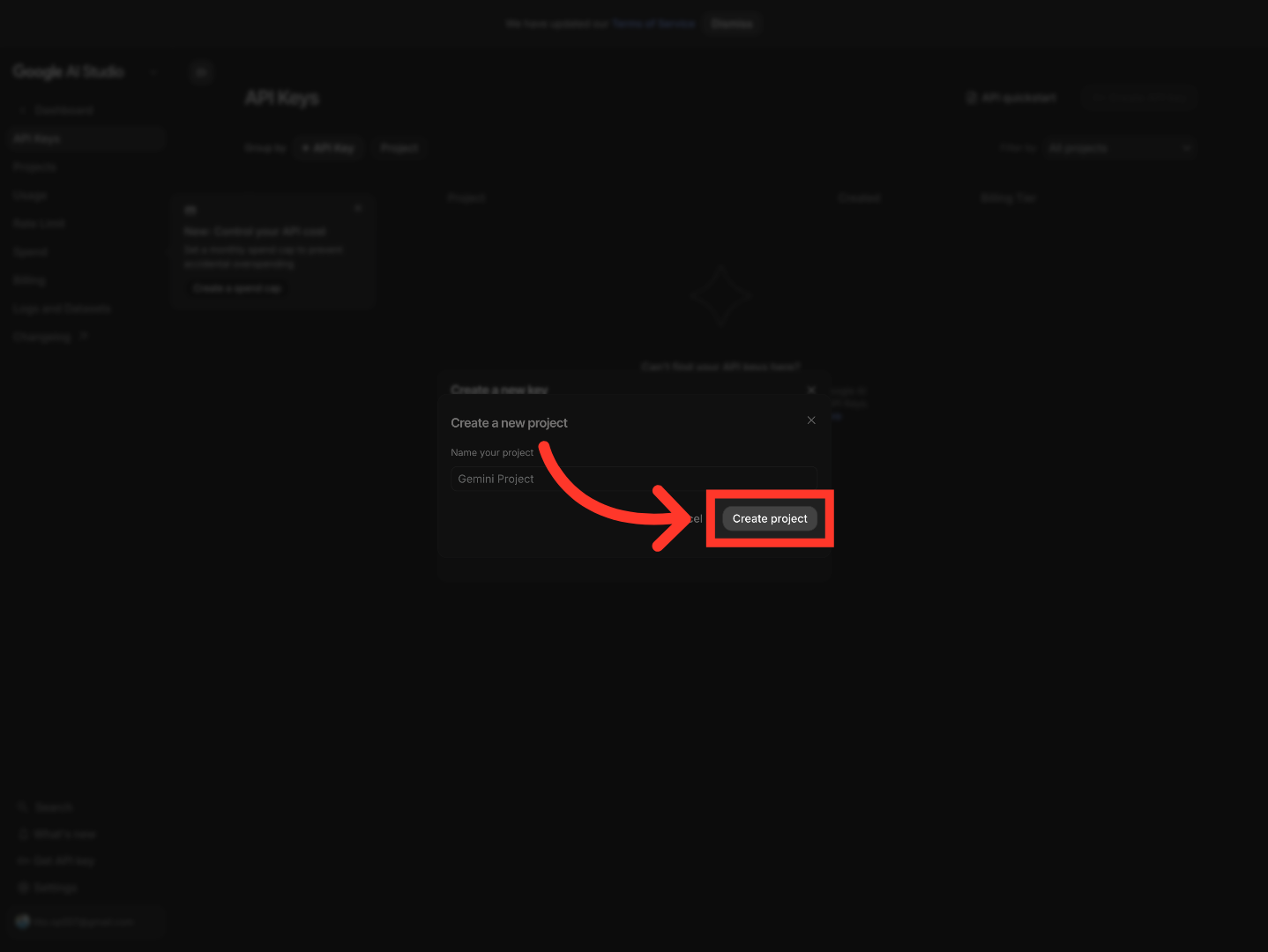
6. Confirm Project Creation
"Google fills in a default name for you — you can leave it as is, or rename it to whatever feels right. When you're happy with it, just click 'Create project.'"
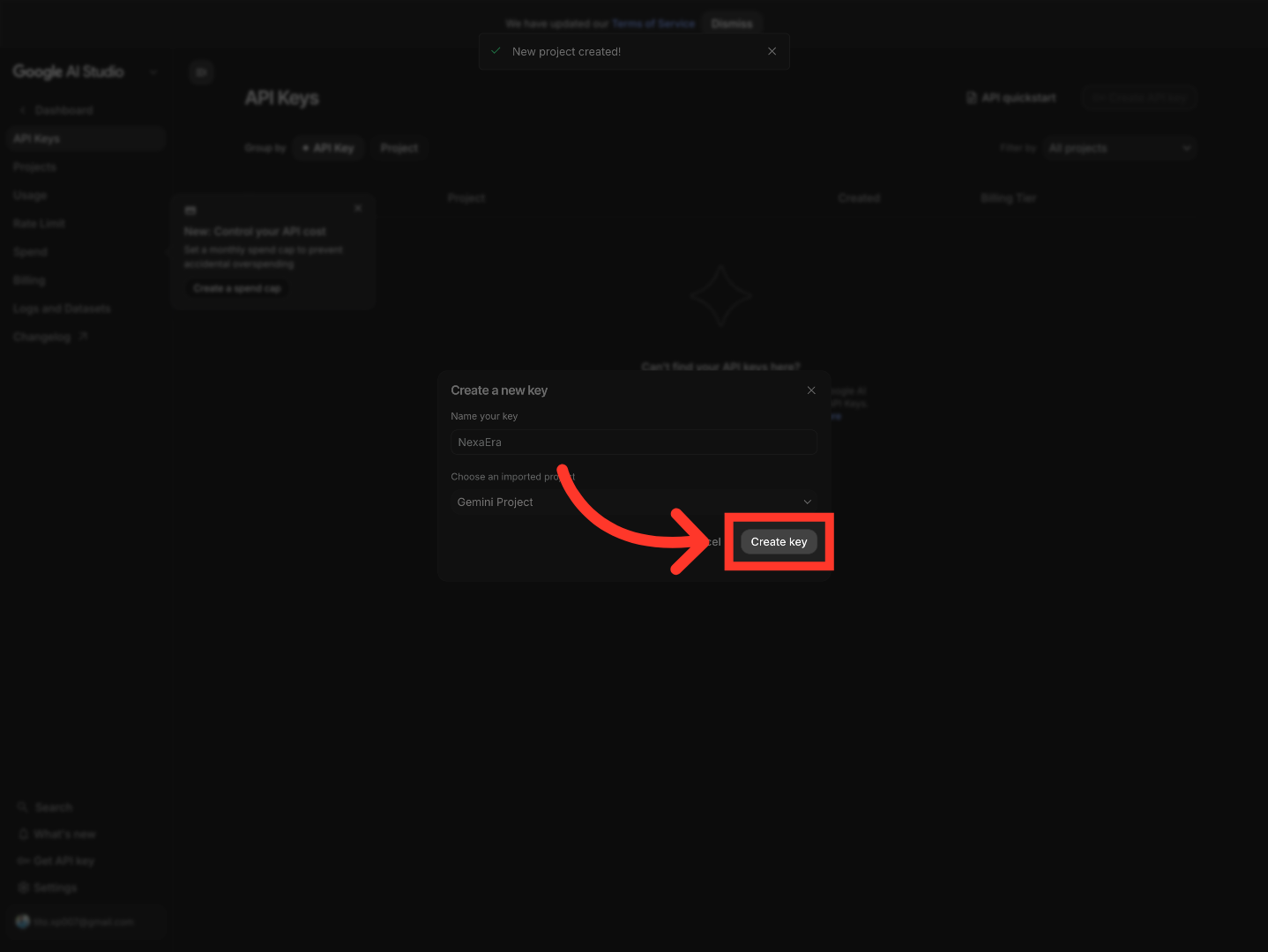
7. Generate API Key
"Now that your project's connected, the 'Create key' button lights up. Click it, and Google will generate your Gemini API key on the spot."
8. Copy API Key
"And there it is — your shiny new Gemini API key, right at the top of the panel. To grab it, just click the little copy icon next to it. That copies the full key to your clipboard, and you're ready to paste it wherever you need it."

"And that's it — you've created your Google Gemini API key, revealed it, and copied it. Now you're ready to start building with Gemini. Happy shipping, and I'll catch you in the next one."
Still need help? Ask the team