Manage And Create API Keys In Together Platform
This key lets your platform tap into your Together account to run open-source models on demand. Two quick heads-ups before we dive in. First, Together shows you the key only once when it's created, so we'll copy it the moment it appears. And second — if your account is still in read-only mode, you'll need to make a small deposit to unlock full access before the key will actually work.
Written By Fred Yalmeh
Last updated 2 months ago
Go to api.together.ai
1. Introduction
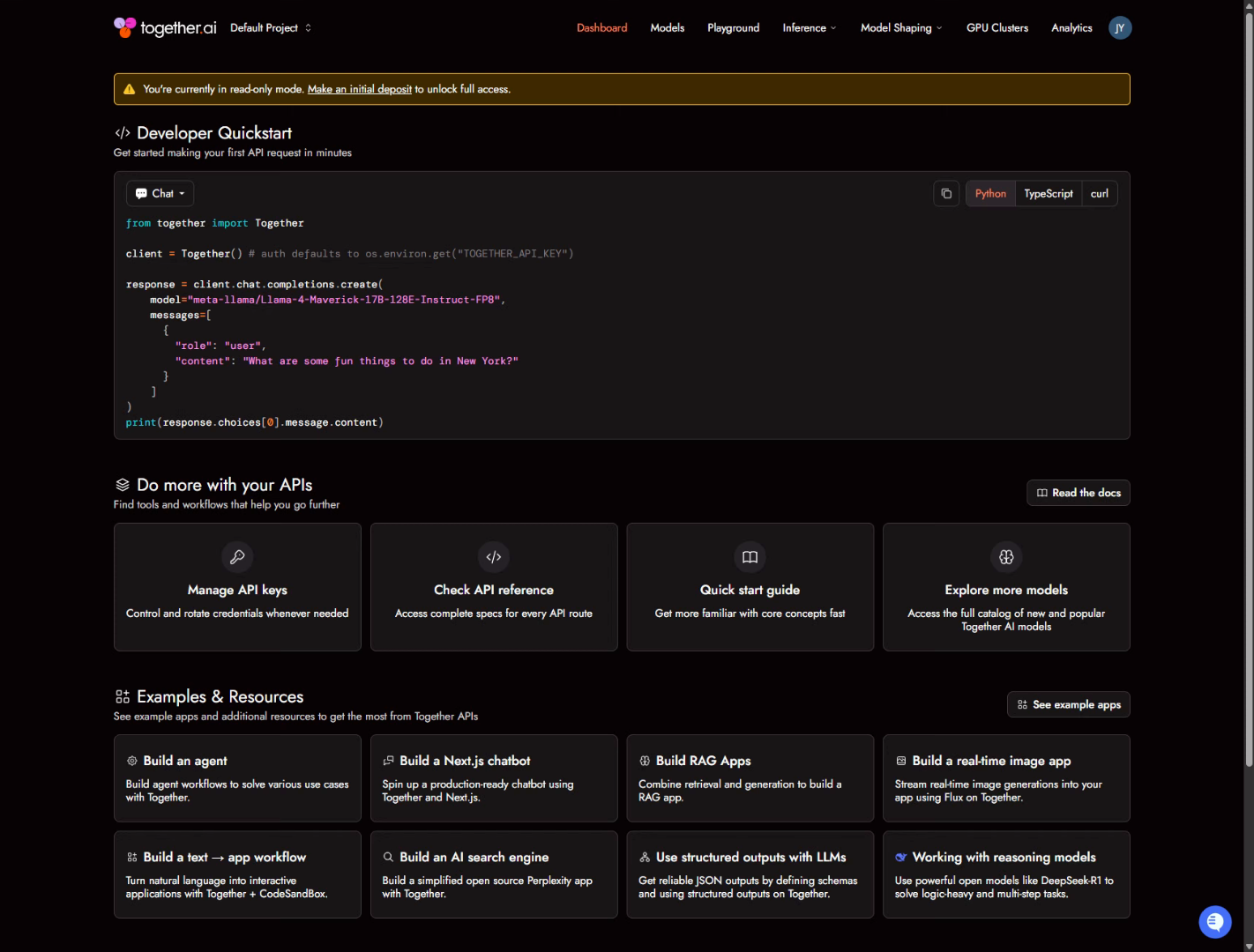
Head to api.together.ai and sign in. You'll land on your dashboard. If you spot a yellow banner at the top about read-only mode, make a note of it — that's the deposit reminder I mentioned. You can sort that out after you've got your key.
2. Access API Key Management
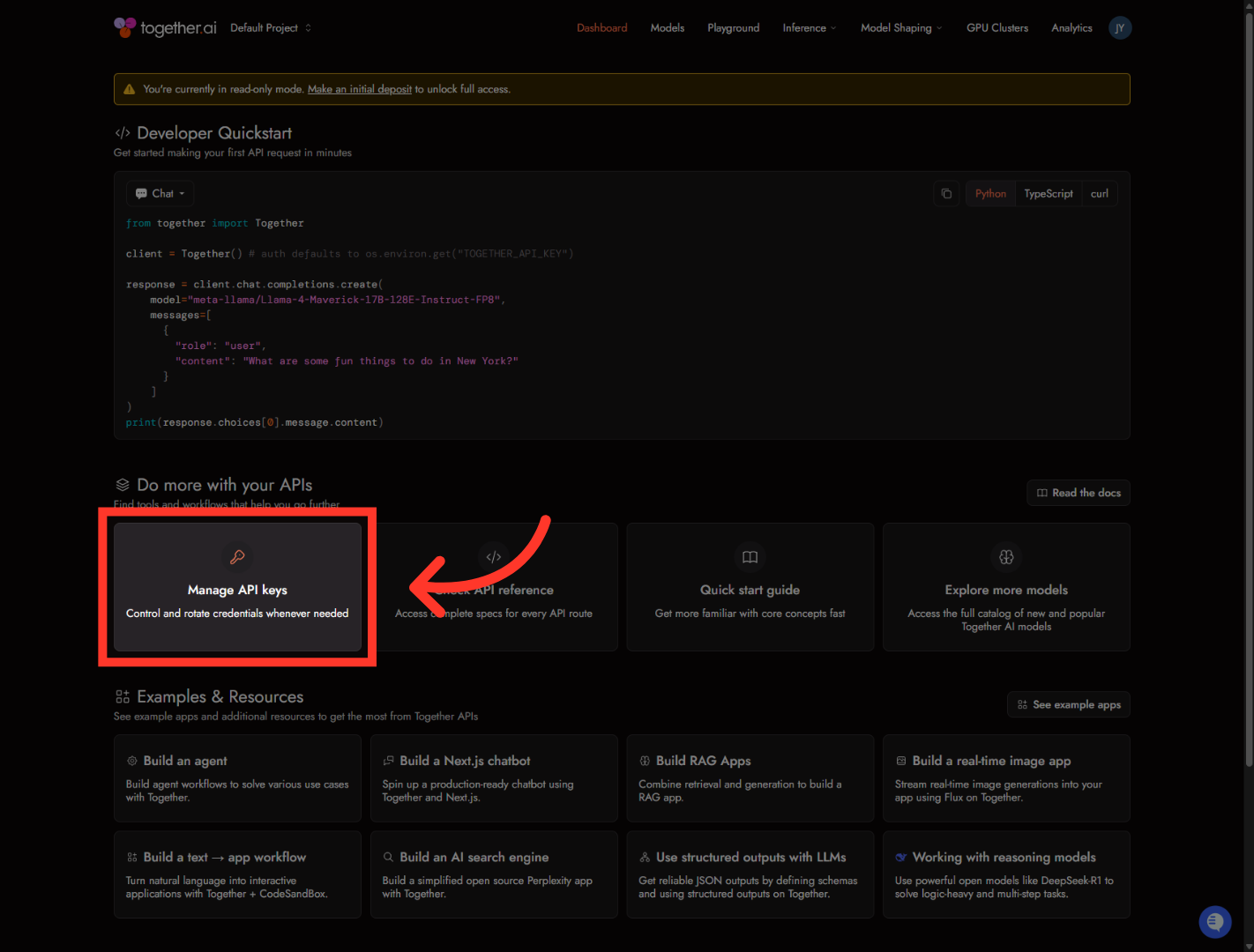
On the dashboard, find the card that says "Manage API keys" and click it. That takes you straight to the page where all your keys live.
3. Initiate New API Key Creation
In the top-right corner, click "Create key." A small dialog pops up where we'll name it.

4. Open Key Name Field
Click into the "Key name" field and give it a label you'll recognize later — something like the name of the platform you're connecting it to. This is just for your own reference, so you can tell your keys apart down the line.

5. Confirm API Key Creation
Once it's named, click "Create Key." Together generates it right away.

6. Complete API Key Setup
This is the step that trips people up. The dialog shows your brand-new key, and read that warning — you won't be able to see it again once this window closes. So before you do anything else, click the copy icon to grab it.

And that's it — your Together AI key is created and copied. Head back to wherever you're connecting it, paste it into the API key field, and save. Just make sure your Together account has a deposit on it so your models keep running. See you in the next one.
Still need help? Ask the team