Access And Navigate API Keys In Cerebras Cloud
This tutorial explains how to access and navigate the API keys section within Cerebras Cloud.
Written By Fred Yalmeh
Last updated 2 months ago
Go to cloud.cerebras.ai
1. Introduction
"First, head over to cloud.cerebras.ai and sign in to your account. You'll land on the 'Get started' page — this is your home base for everything Cerebras."

2. Access API Keys Section
"On the left side of the dashboard, you'll see your main menu. Look for the option labeled 'API keys' — it's usually the third item from the top. Go ahead and click it."

3. Navigate API Keys Interface
"And here we are — this is your API keys dashboard. You'll see your default key listed here, along with the project it belongs to, the date it was created, and whether it's currently active. If you ever need a new one, just hit 'Generate API Key' in the top-right corner." "To grab your key, just click the little copy icon right next to it. That copies the full key to your clipboard, and you're ready to paste it"
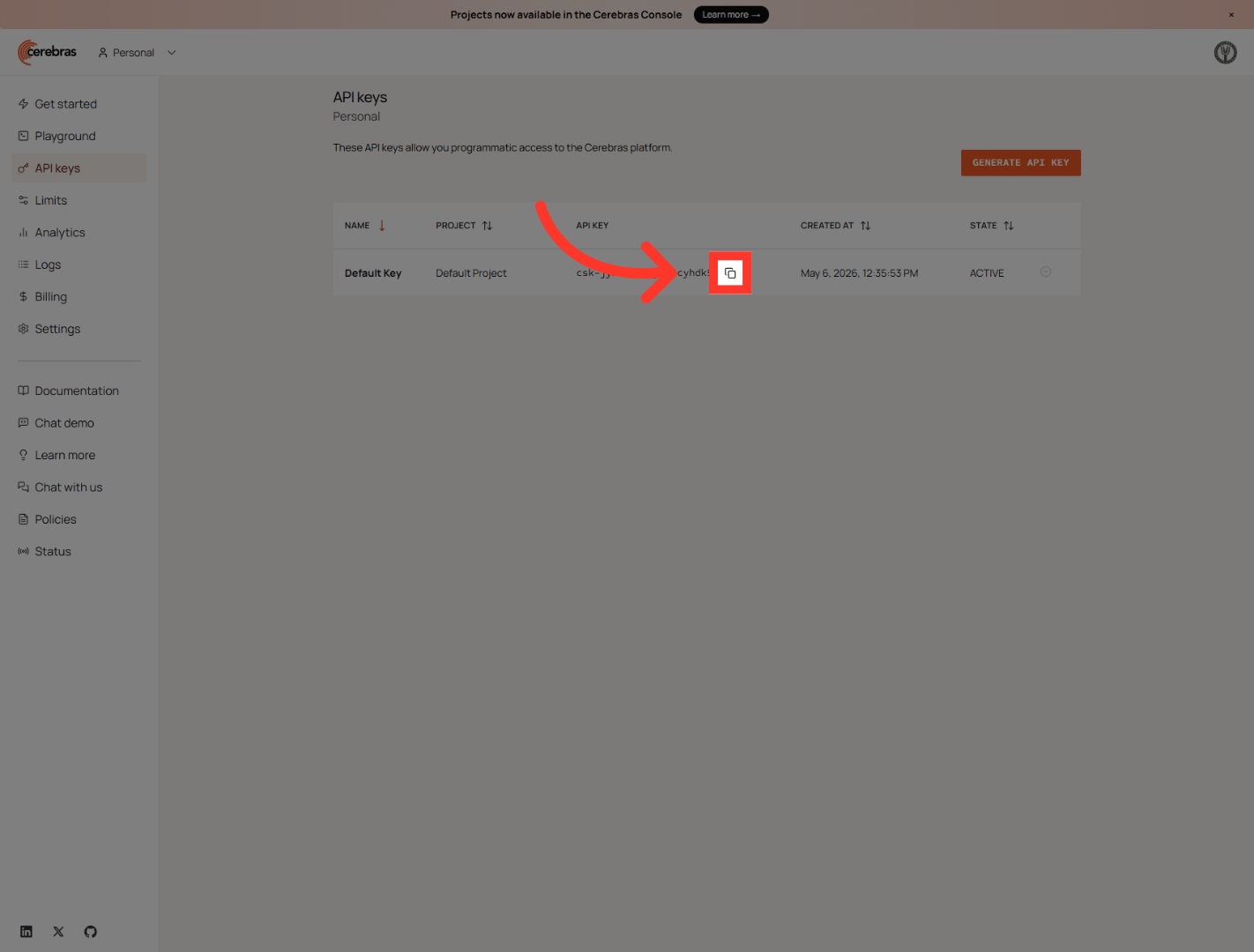
You have successfully accessed and navigated the API keys section in Cerebras Cloud. This enables you to manage your API credentials and proceed with further configuration or usage as needed.
Still need help? Ask the team