Retrieve And Copy API Key In LiveAvatar App
Need your LiveAvatar API key to connect it to your app or your NexaEra agent? It takes about thirty seconds to grab. Think of this key as the password your software uses to talk to LiveAvatar securely. Let's sign in at app.liveavatar.com and go get it.
Written By Fred Yalmeh
Last updated 2 months ago
Go to app.liveavatar.com
1. Introduction
Once you're signed in, you'll land on your dashboard with all your avatars. Following these next few steps will help you securely get your API credentials for connecting LiveAvatar to your own tools. To start, look over at the left sidebar.

2. Access API Key Section
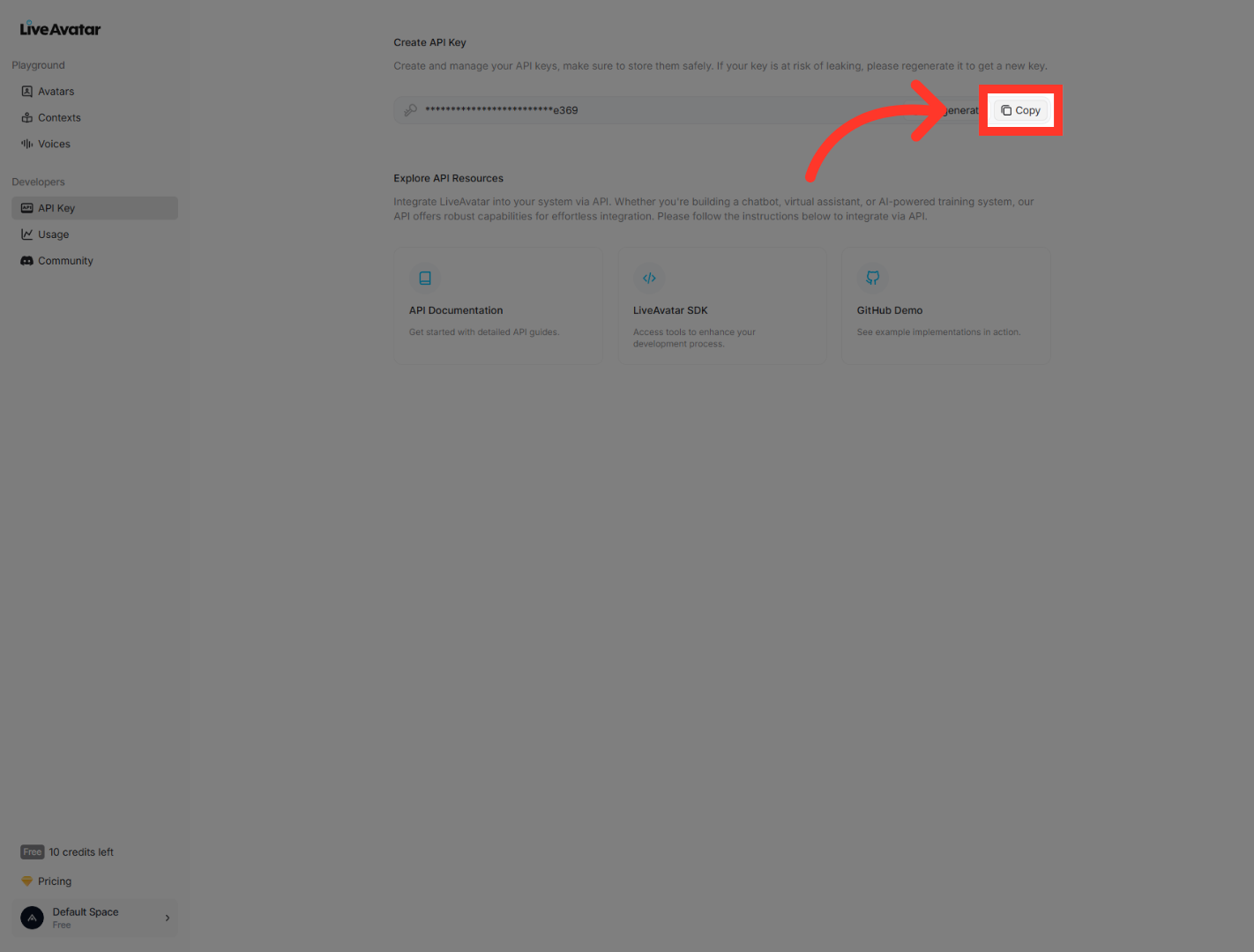
In the sidebar, under the "Developers" group, click "API Key." This opens the section where your API credentials are managed inside the LiveAvatar app. This is where your key already lives, ready for you to copy.

3. Copy Your API Key
Now just click "Copy," and your API key is on your clipboard, ready to drop into your integration or config. Paste it somewhere safe right away, like a password manager or your project's environment variables. And one heads-up: if your key is ever at risk of leaking, use the regenerate option to get a fresh one.
And that's it. You've found your API key and copied it, and you're all set to integrate LiveAvatar features securely with your applications. Thanks for watching, and I'll catch you in the next video.
Still need help? Ask the team